Skip to content

Fut360 is out. Sign up by 30 November and your free trial is 60 days instead of 30. Try it free

Fut360

Mesocycles

Plan your season in blocks.

A mesocycle groups a run of weeks around one objective. In Fut360 you set one up in two minutes by choosing the type, the weeks and the days. The app puts the sessions in the calendar, shows the current week on the Home screen and lets you review every microcycle.

Step by step

Pick the type

One tap

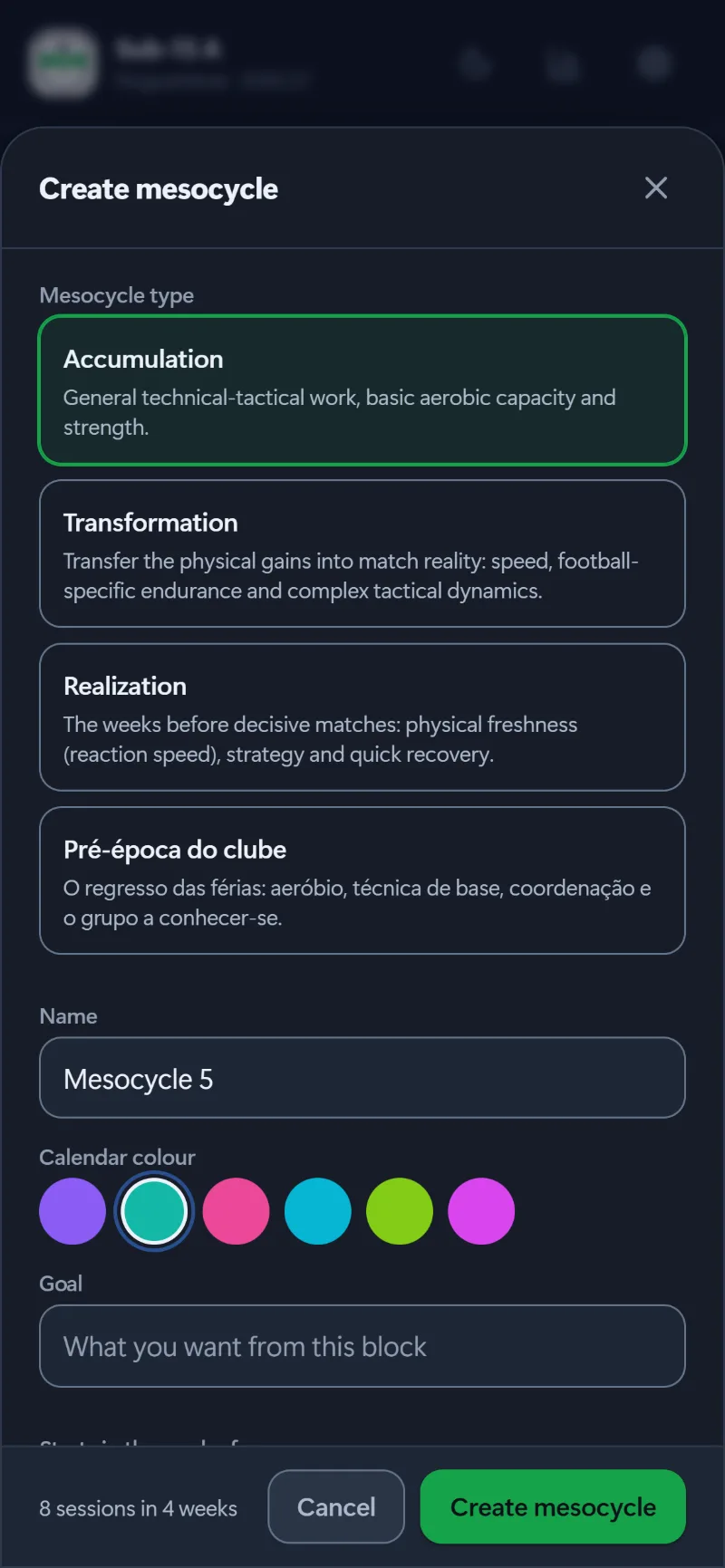
Accumulation, Transformation or Realization, the three blocks of the ATR model, or a type your team has created, like the club’s pre-season. Each type tells you what it works on.

  • A name, and the colour it shows up in on the calendar
  • The block’s objective, visible every week
  • Your team’s own types are saved alongside the ATR ones
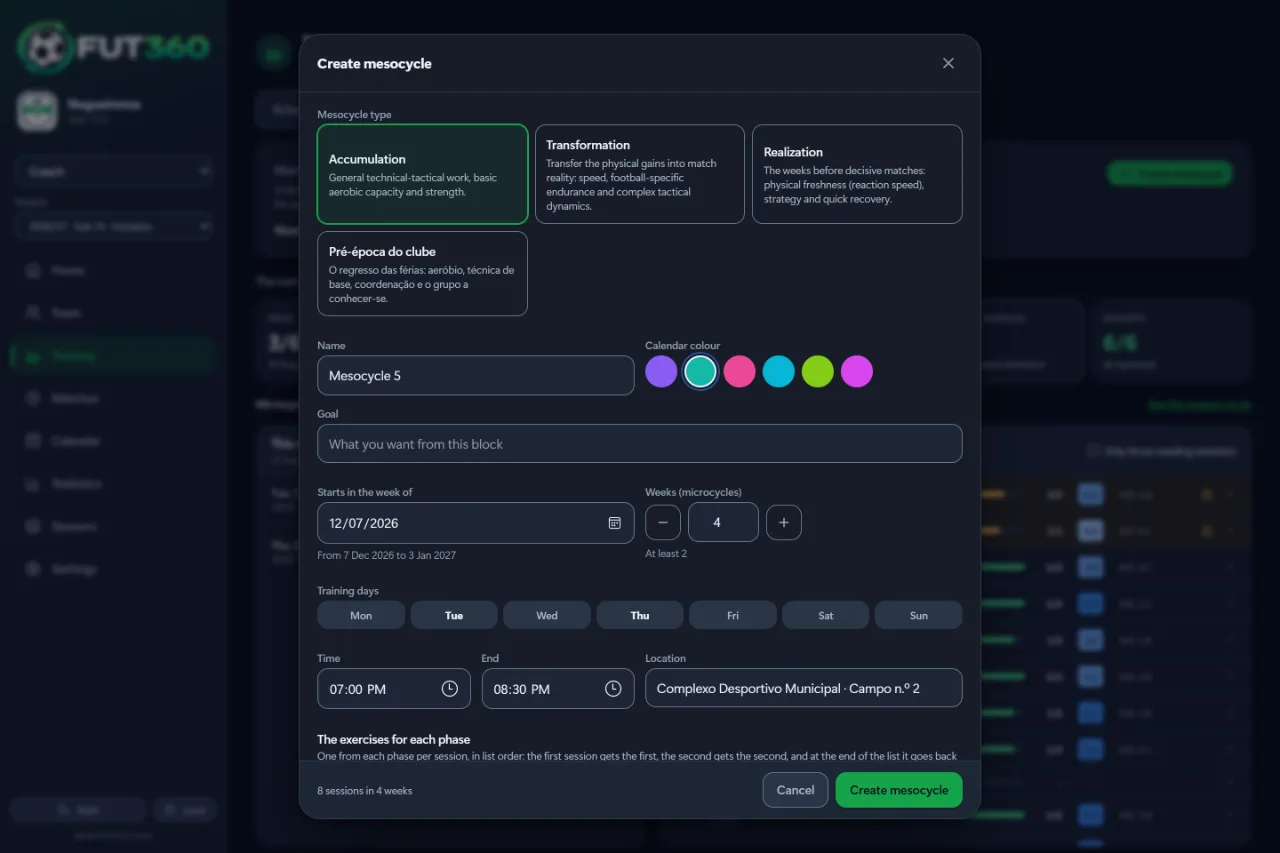
The Create mesocycle screen: the ATR types and the club’s pre-season, then the name, colour and objective.

Set the weeks and days

One minute

Anywhere from 2 to 12 weeks, starting in the week you choose. Add the training days, the time and the place. Before you create it, you’ll see how many sessions it makes and in which weeks.

  • Match days are skipped automatically
  • If a day already has a session, the app asks before replacing it
  • Mesocycles can’t overlap

The sessions are ready

Create mesocycle

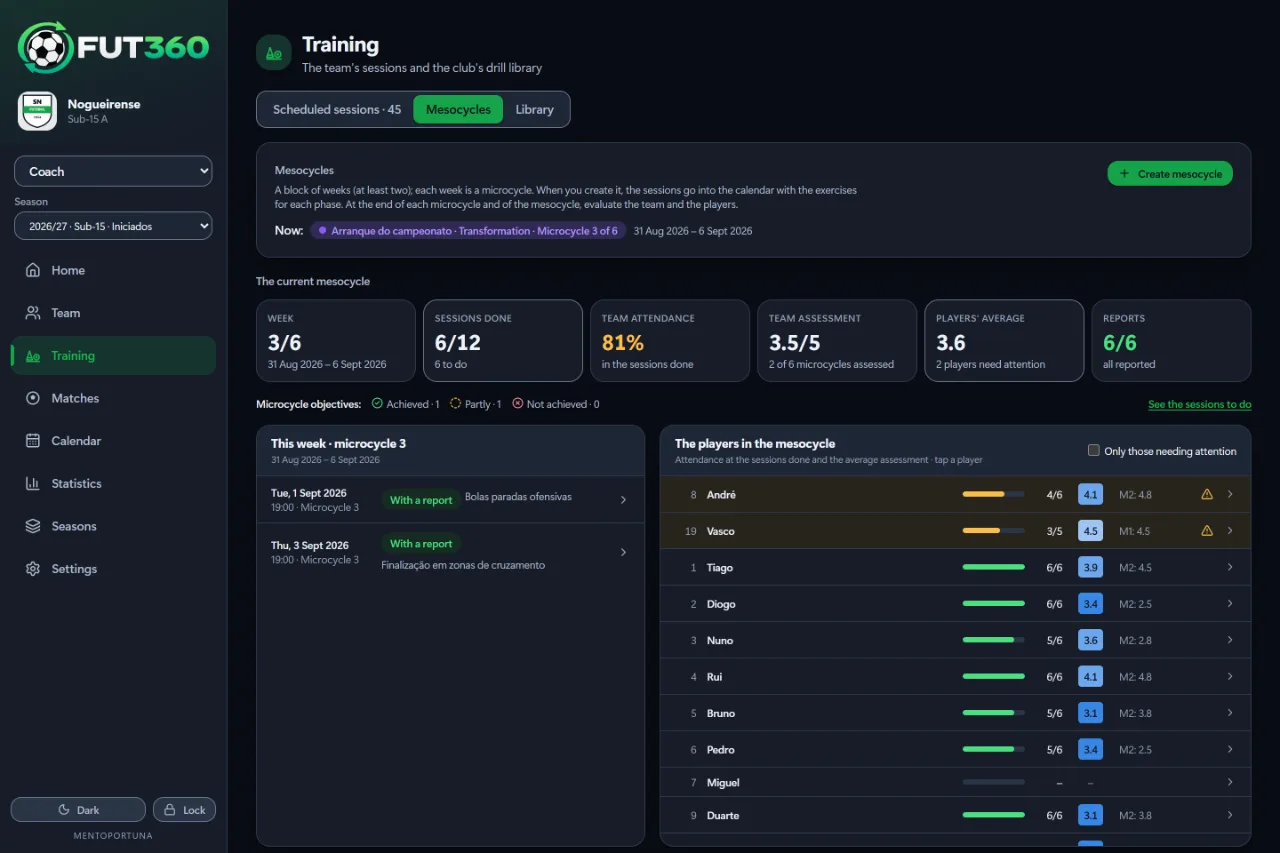
The sessions go into the calendar week by week, ready for the pitch, and you can change any of them whenever you like. The current mesocycle shows which week you’re in and how things are going.

  • This week, the sessions done, attendance and the session reports
  • Your team review and the players’ average, side by side
  • Each player’s attendance and average rating, with those who need attention listed first
  • The current microcycle on the Home screen, with its number, dates and objective
The current mesocycle at week 3 of 6, with attendance, reviews and this week’s sessions.

Review every week

Microcycle by microcycle

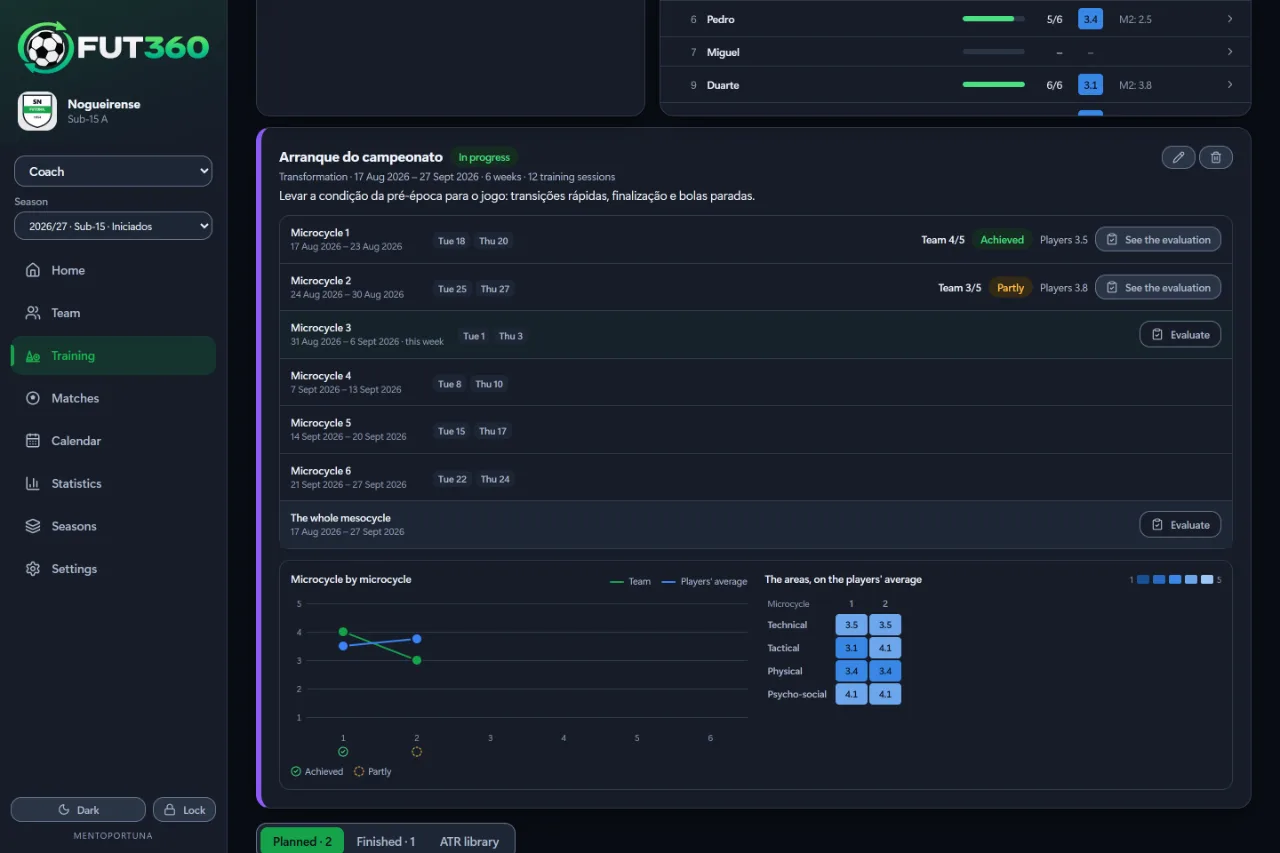
At the end of each week you review the microcycle, and at the end of the block you review the whole mesocycle. The team and the players sit side by side as the weeks go by.

  • Mark each microcycle as achieved, partly achieved or not achieved, and rate the team
  • A chart of your team review against the players’ average for each microcycle
  • The players’ average split into the four areas: technical, tactical, physical and psycho-social
  • A history of every mesocycle in the season
The weeks of a Transformation mesocycle, with each microcycle’s review, the chart and the four areas.

On the phone

Check it from the touchline.

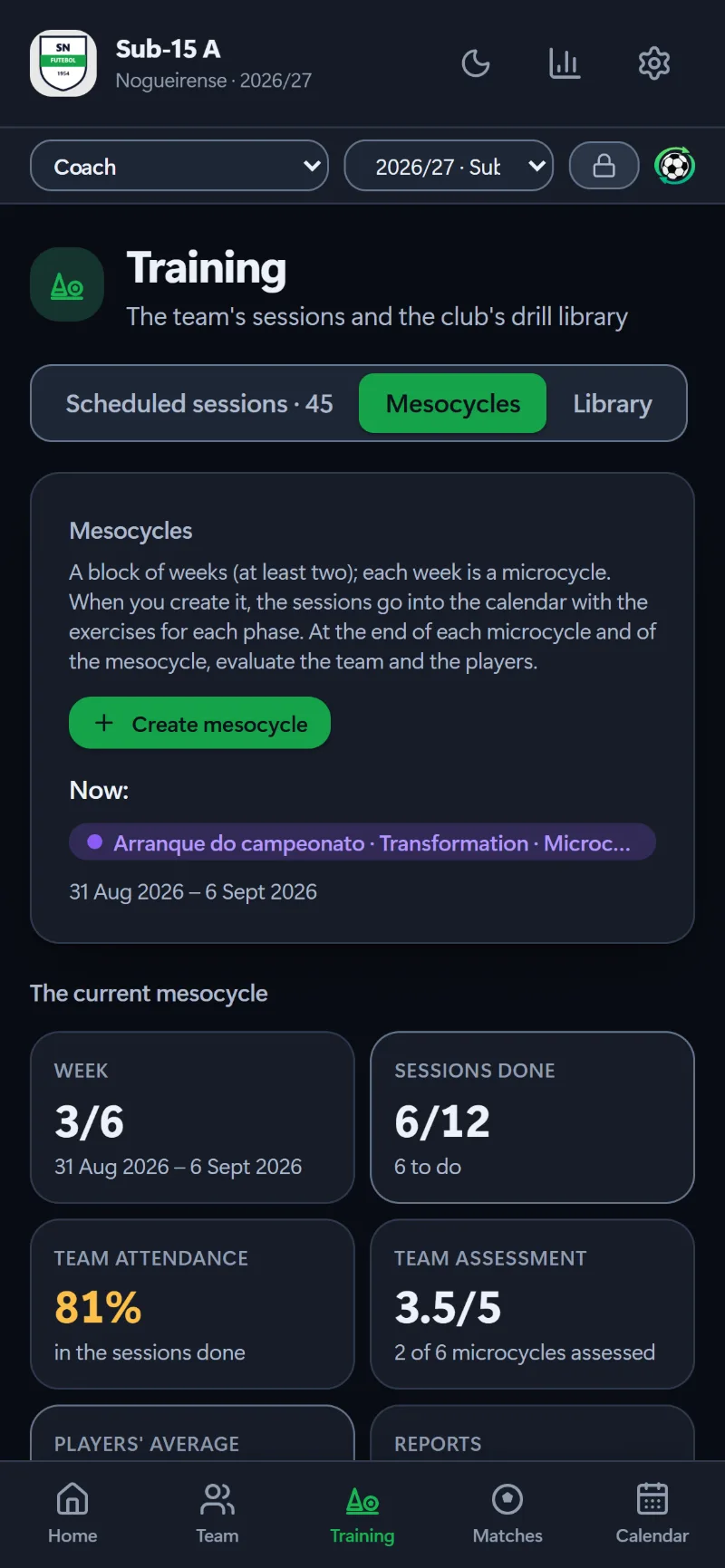
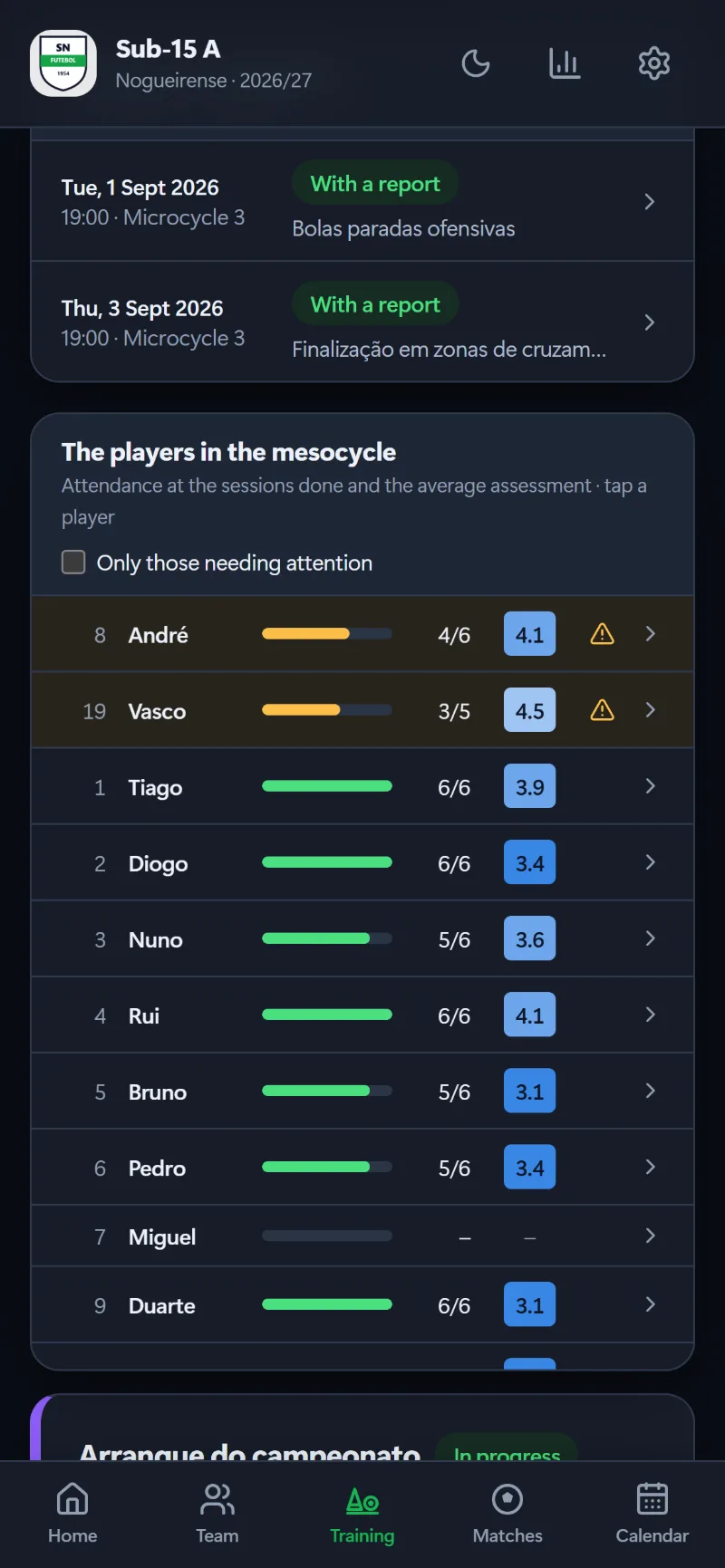
The same mesocycle is on your phone: the week you’re in, the sessions and the reviews.

Questions about mesocycles

What is a mesocycle in Fut360?

A block of 2 to 12 weeks with one objective: accumulating, transforming, peaking for the decisive matches, or a type your team sets up. Each week is a microcycle with its own sessions. The Home screen tells you which microcycle you’re in, and the calendar shows the mesocycle in its colour.

How long does it take to create one?

A minute or two. You pick the type, name it and set the weeks, the days and the session times. Before you confirm, the app shows how many sessions it will create and in which weeks. It leaves match days free, and if a day already has a session it asks before replacing it.

And once it’s created?

The sessions are in the calendar and you can adjust each one. At the end of every week you review the microcycle (achieved, partly achieved or not achieved) and see your team review next to the players’ average in the four areas. When the block is over you review the whole mesocycle, and every past mesocycle stays in the history.

Bring Fut360 to your club.

If you’re a coach, you can start a free trial today. For a club, book a demo and we’ll show you the app with a sample team.

Launch offer: everyone who signs up by 30 November 2026 gets 30 extra free days, so 60 instead of 30. No card needed.