Sign in there with your email: the club’s data is on the server and it all comes back. Then set up your access code again and install the icon from the new address.
Then, at app.fut360.pt: Settings → Data → Restore from backup → Merge with what’s here.
Your whole club, from training to the final whistle.
Squad, training, call-ups, live match logging and statistics — in one app, built for the iPad on the touchline. It works offline and syncs on its own when the connection comes back.
Everything is saved on the device and goes up to the cloud when there’s a connection.
On any screen
iPad, iPhone, Android, PC and Mac — it installs like an app.
Four languages
Everyone in their own language, from the screens to the PDFs and messages.
Secure by design
Personal accounts, a code or Face ID on the device, every club in its own space.
Modules
A module for every part of the job.
From planning the week to the match report, every screen answers a question the coach — and the club — actually asks.
For the coaching staff
Home
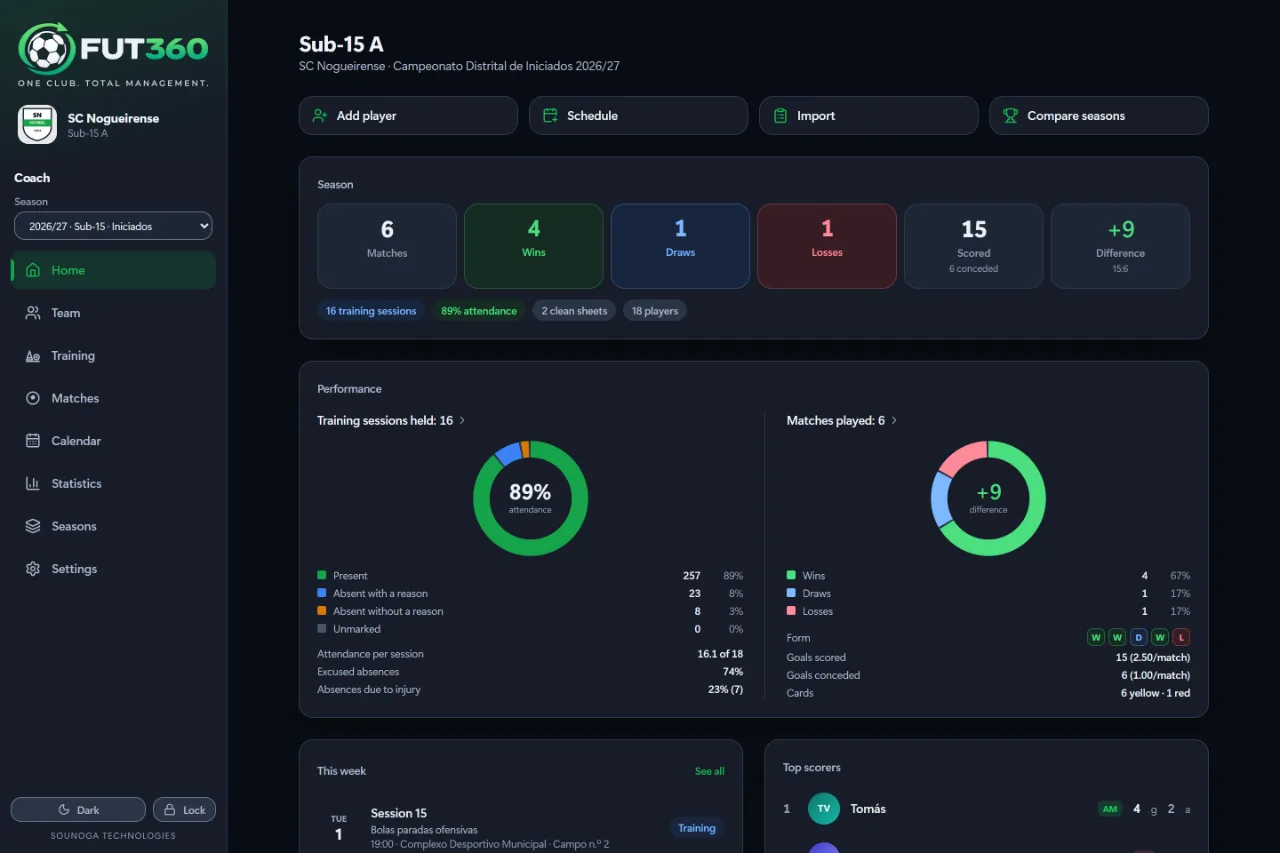
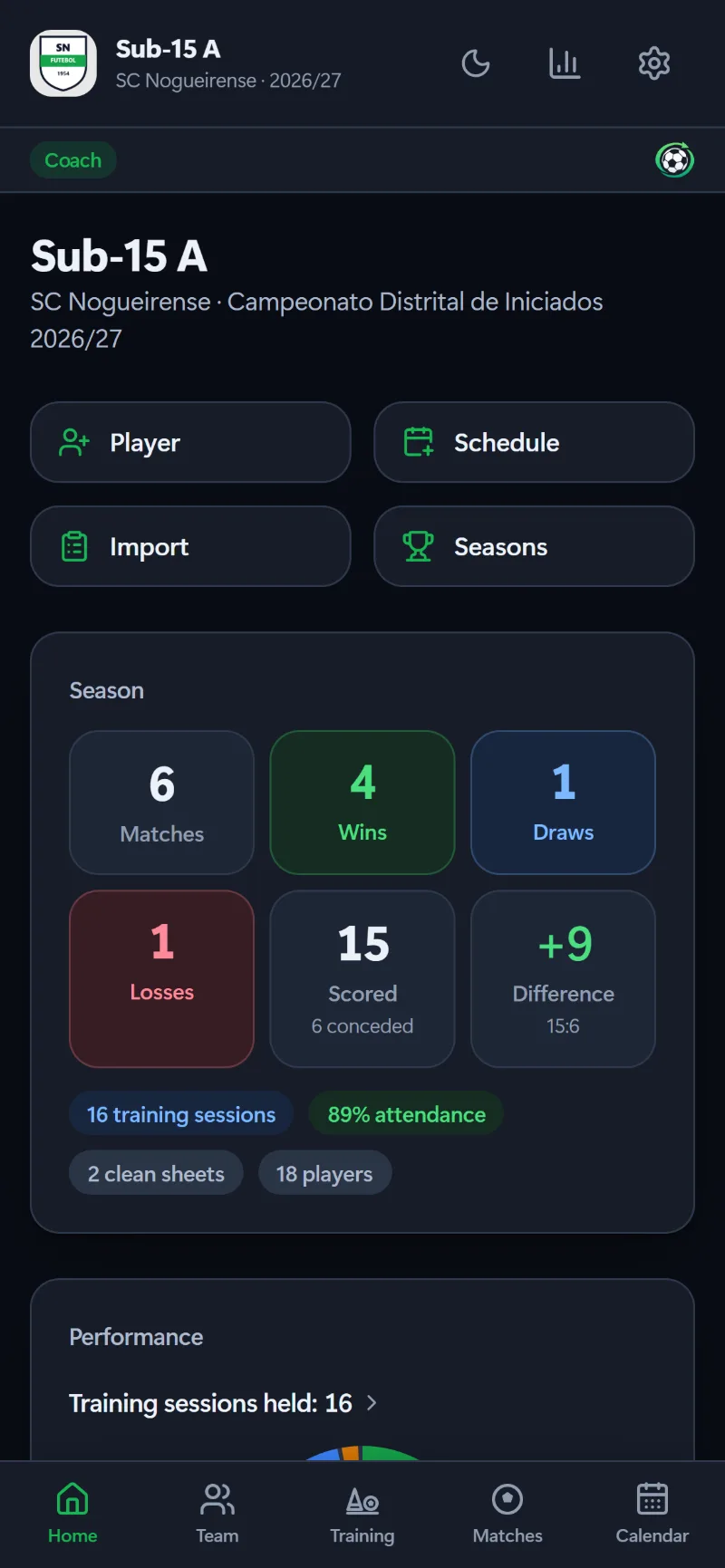
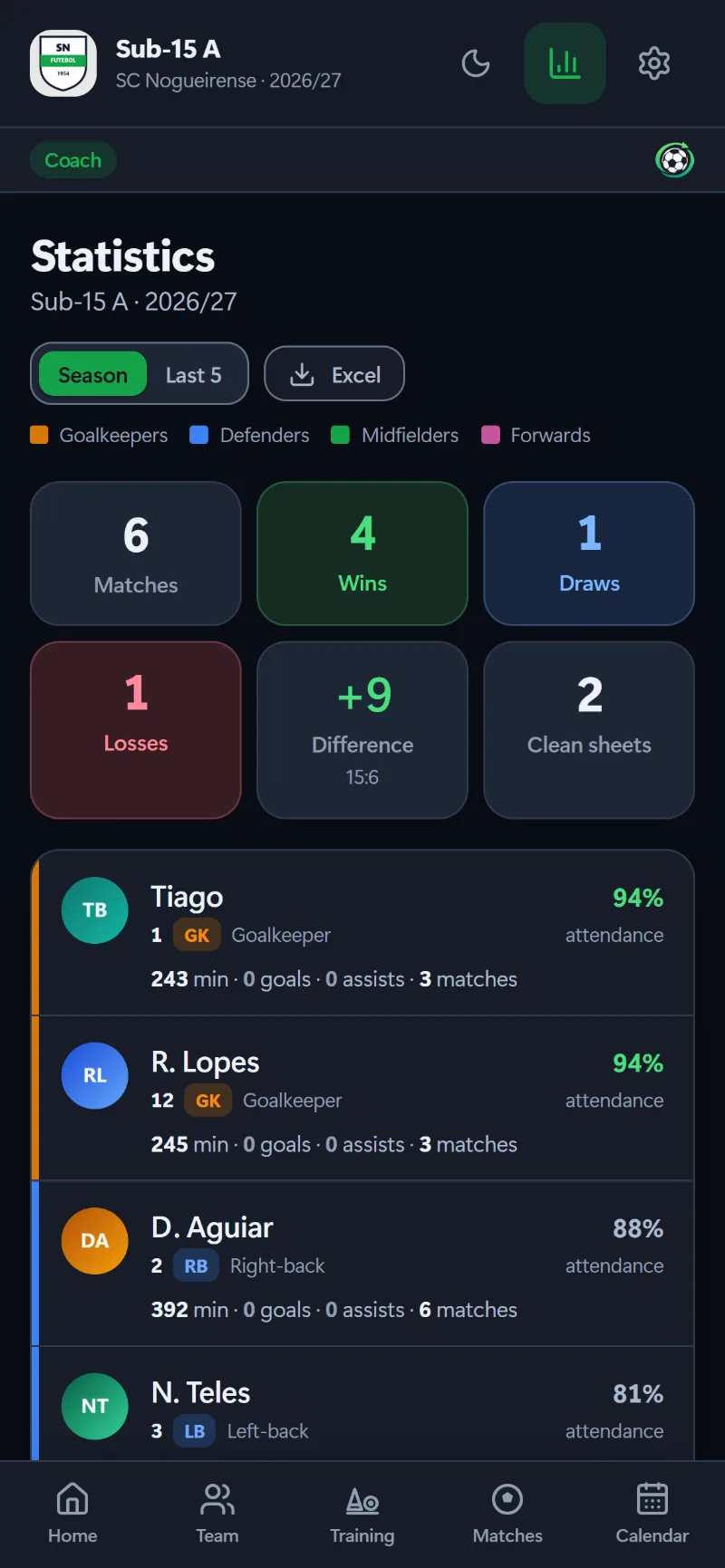
The season at a glance: results, attendance, team form, the week ahead and the current microcycle.
Team
The squad by shirt number, the staff and the league table, with full profiles and photos.
Training
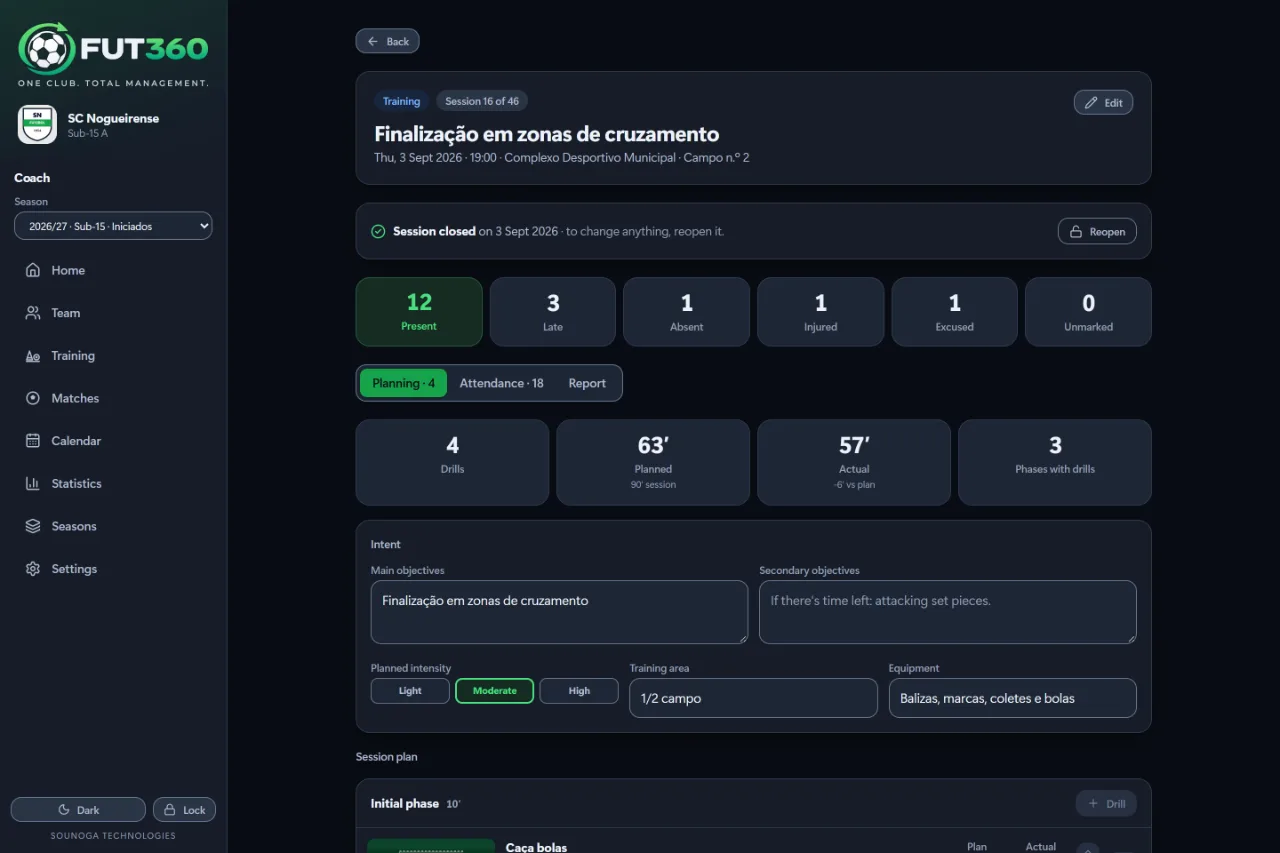
Sessions planned from the club’s drill library, one-tap attendance and a report on how it went.
Matches
Call-up, starting XI, pitch, live logging and match report — before, during and after.
Calendar
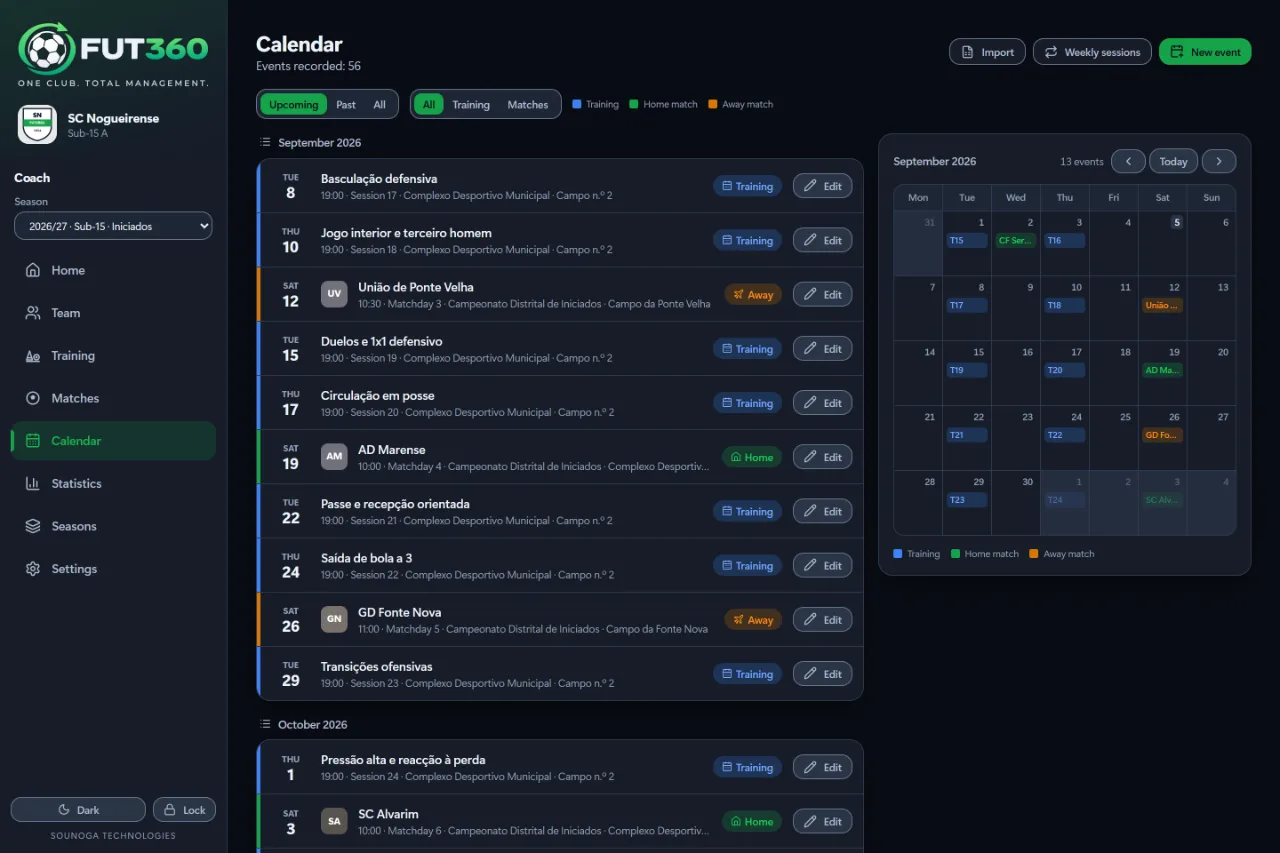
List and month side by side, weekly sessions for the whole season and the matchday for every game.
Statistics
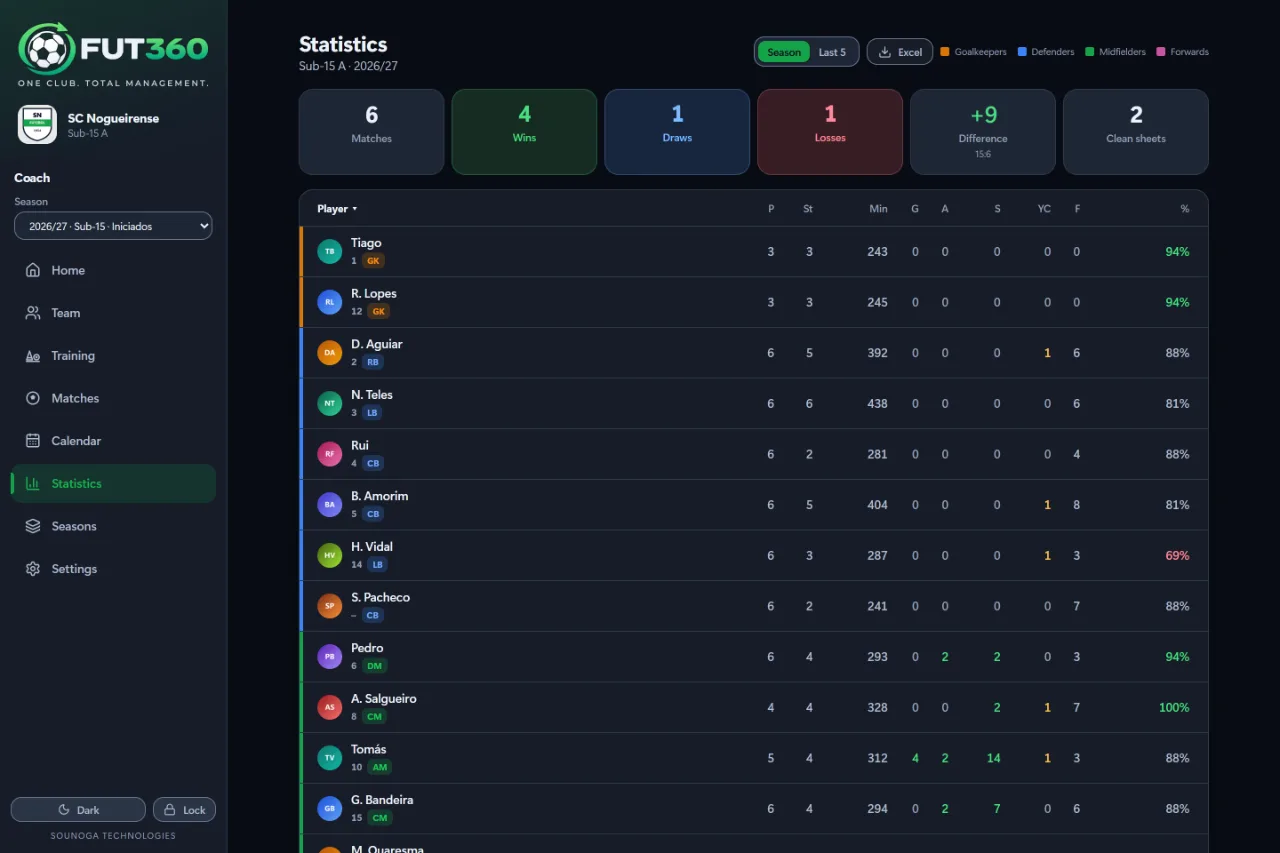
Minutes, goals, assists, shots, cards and attendance per player. Exports to Excel.
Seasons
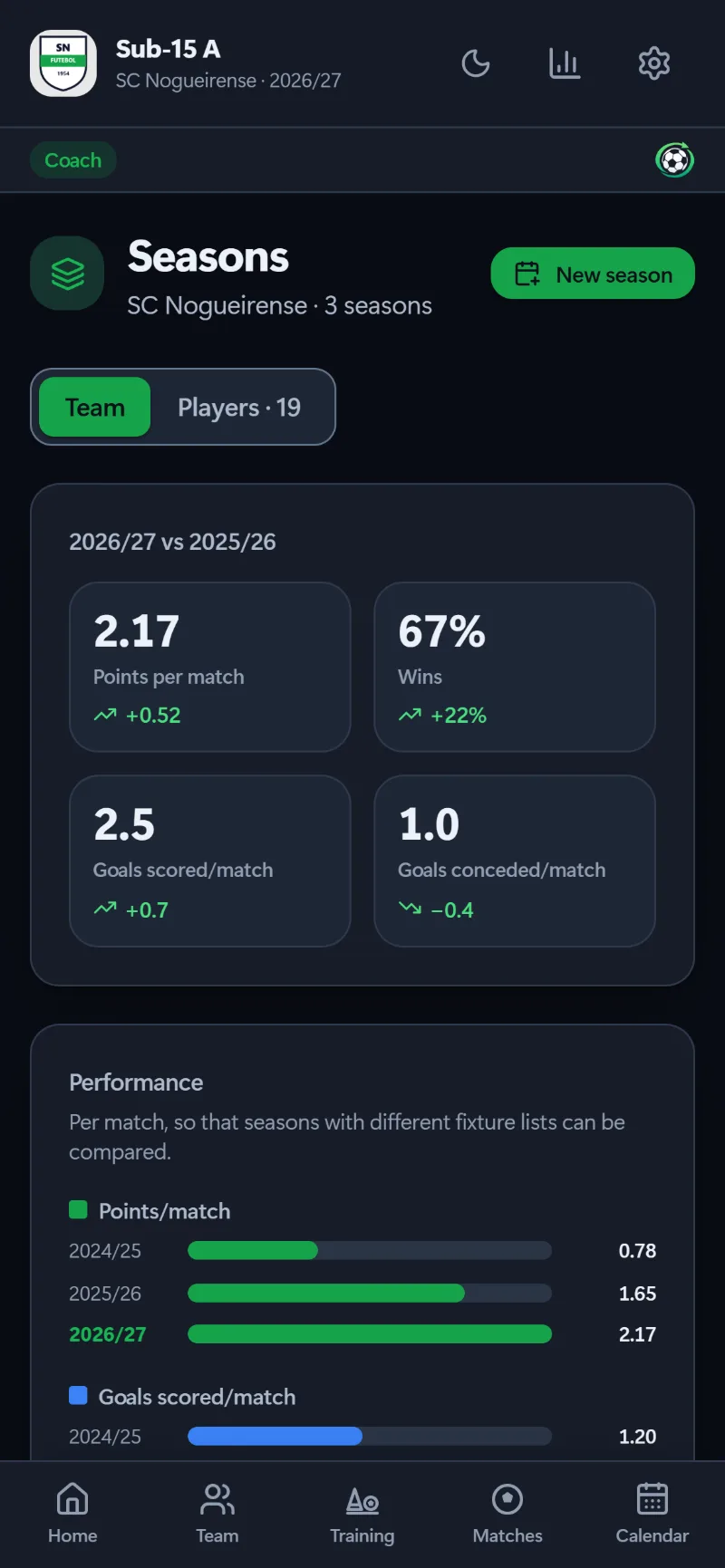
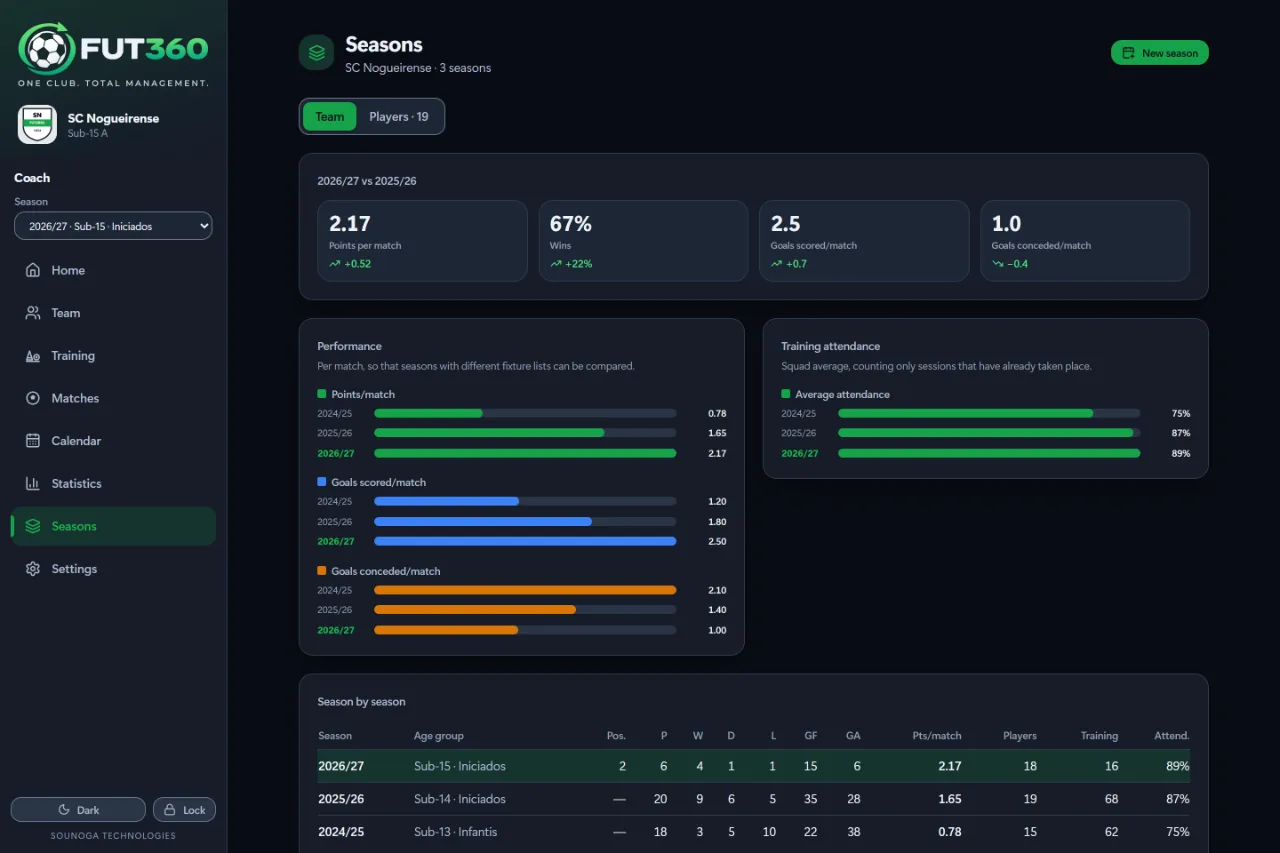
Season rollover on a single screen, and season-on-season comparisons, always per game.
Reports
Player and match PDFs, plus the player report for other coaches — shared straight to WhatsApp.
For the club
Club management
The coordinator organises teams, staff, players and guardians, and invites everyone by email.
Pitches Optional
The pitch calendar, booking requests with approval, and each pitch split into up to four parts.
Chat Optional
Real-time channels for every team, with the staff and the families.
Player portal Optional
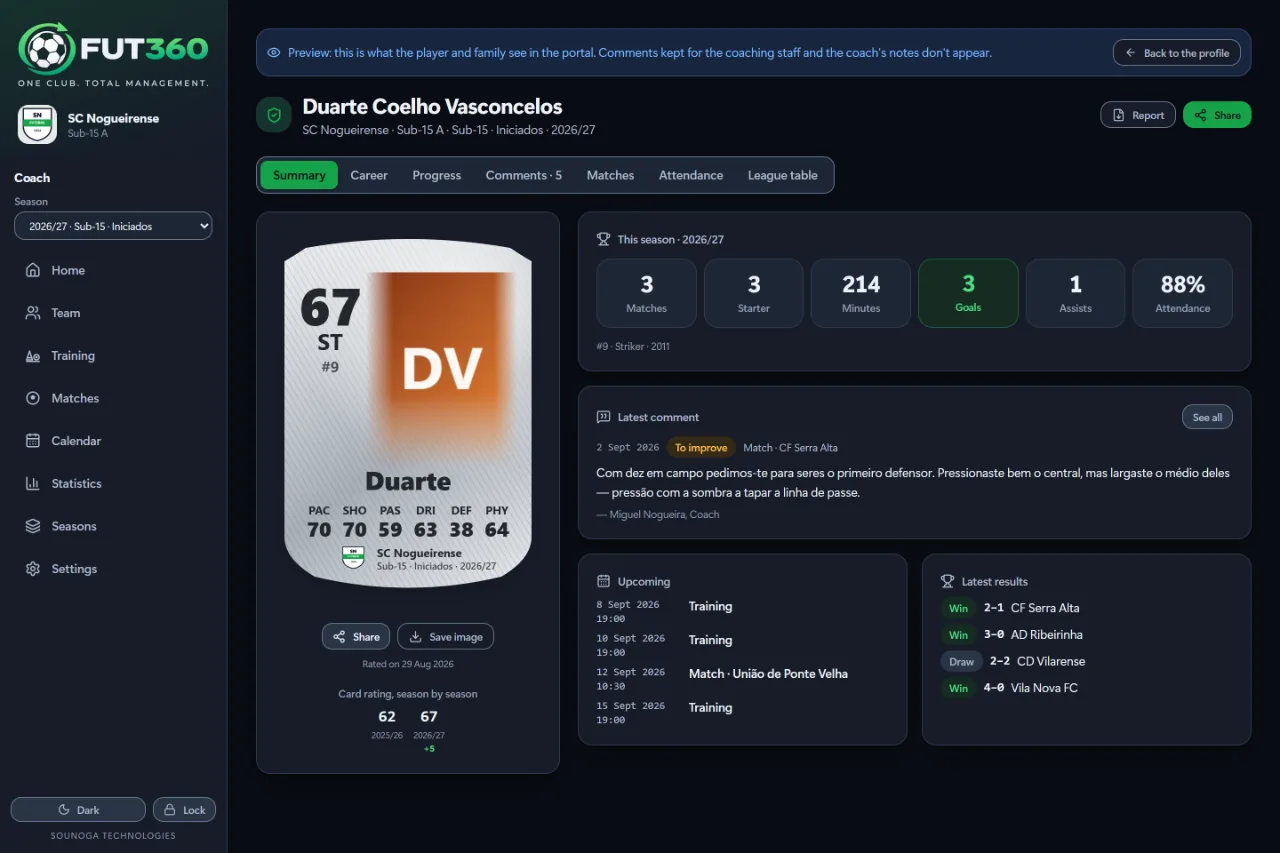
Players and their families see every season’s record, the assessments and the coaches’ comments — and only what’s theirs.
Pitches, Chat and the Player portal are switched on per club.
Features
Designed for the touchline.
Every detail was decided with Saturday morning in mind: little time, plenty of rush and, quite often, no signal at all.
Live match
The match, minute by minute.
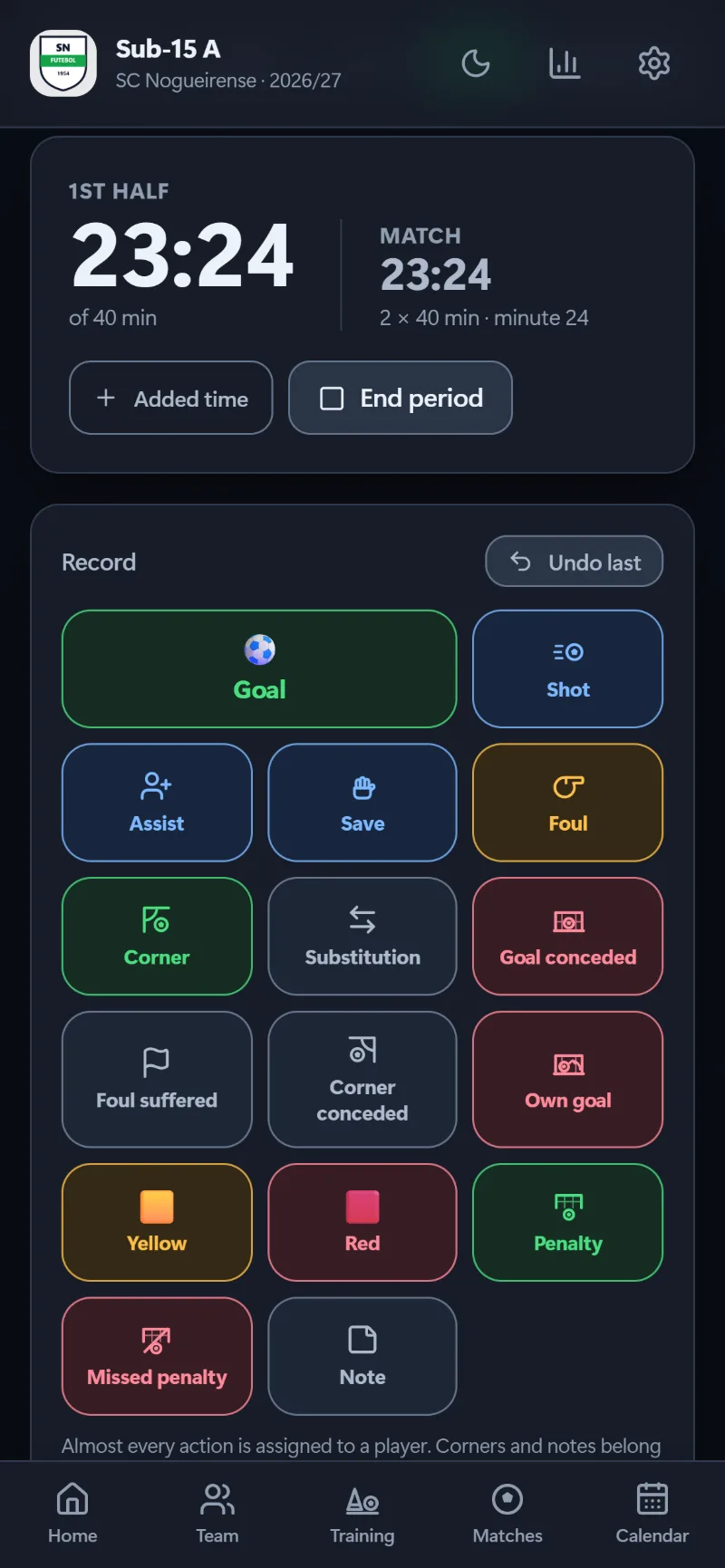
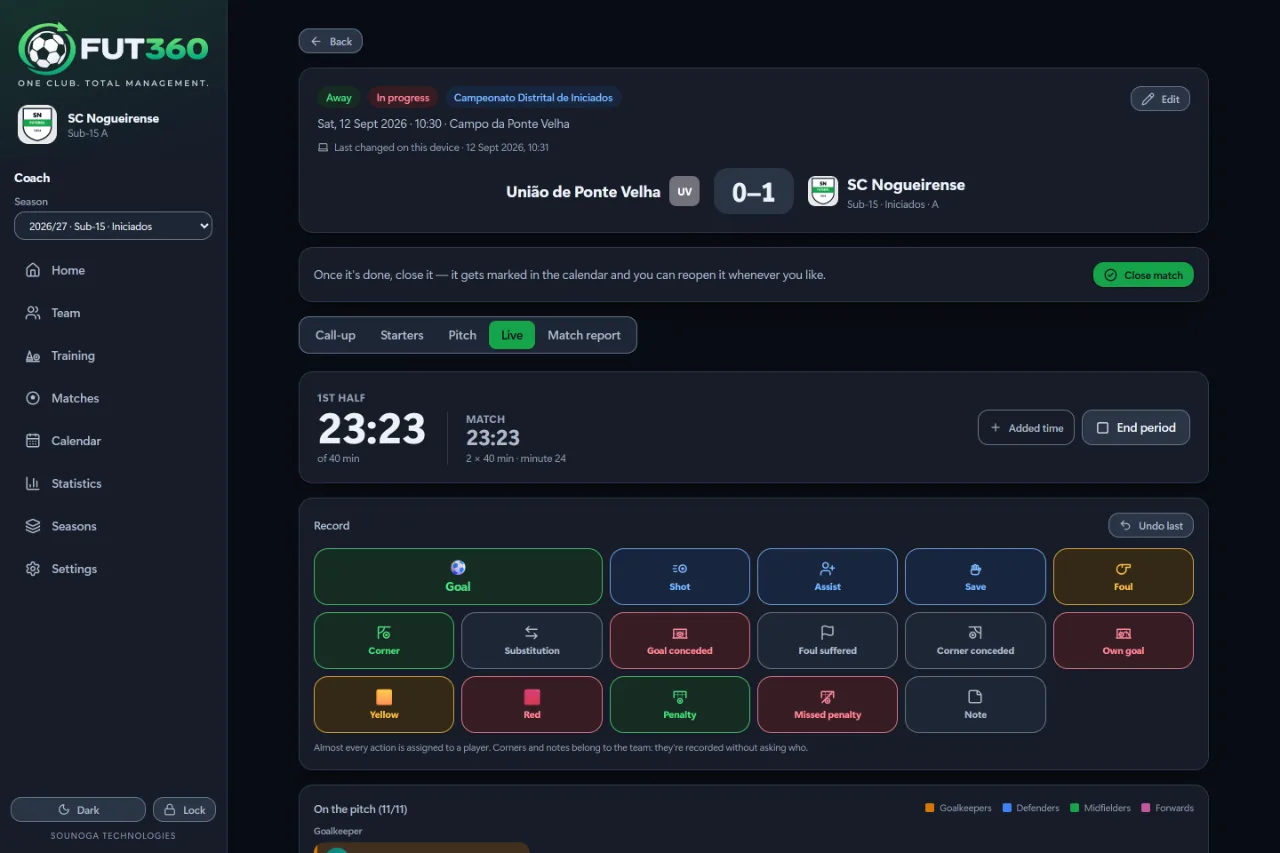
A clock for each half and sixteen one-tap actions. A goal asks who scored and who assisted; a save starts with the goalkeepers on the pitch.
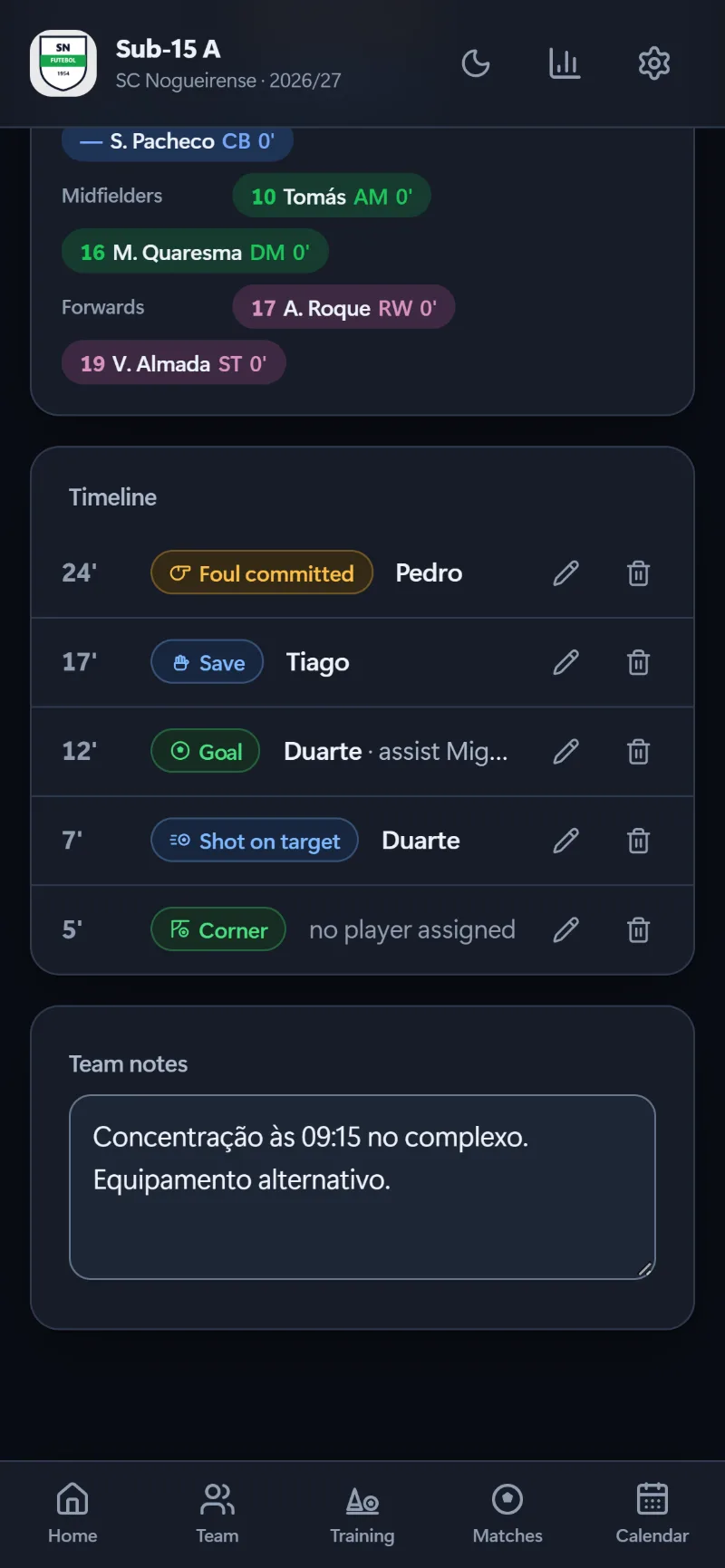
Who’s on the pitch, by line, with each player’s minutes
Substitutions counted against the limit — with a warning, never a block
Injury substitutions marked separately, for the report and for the season
Fix it later: the pencil on the timeline changes the minute, half or player
Call-up and pitch
From the dressing room to the pitch.
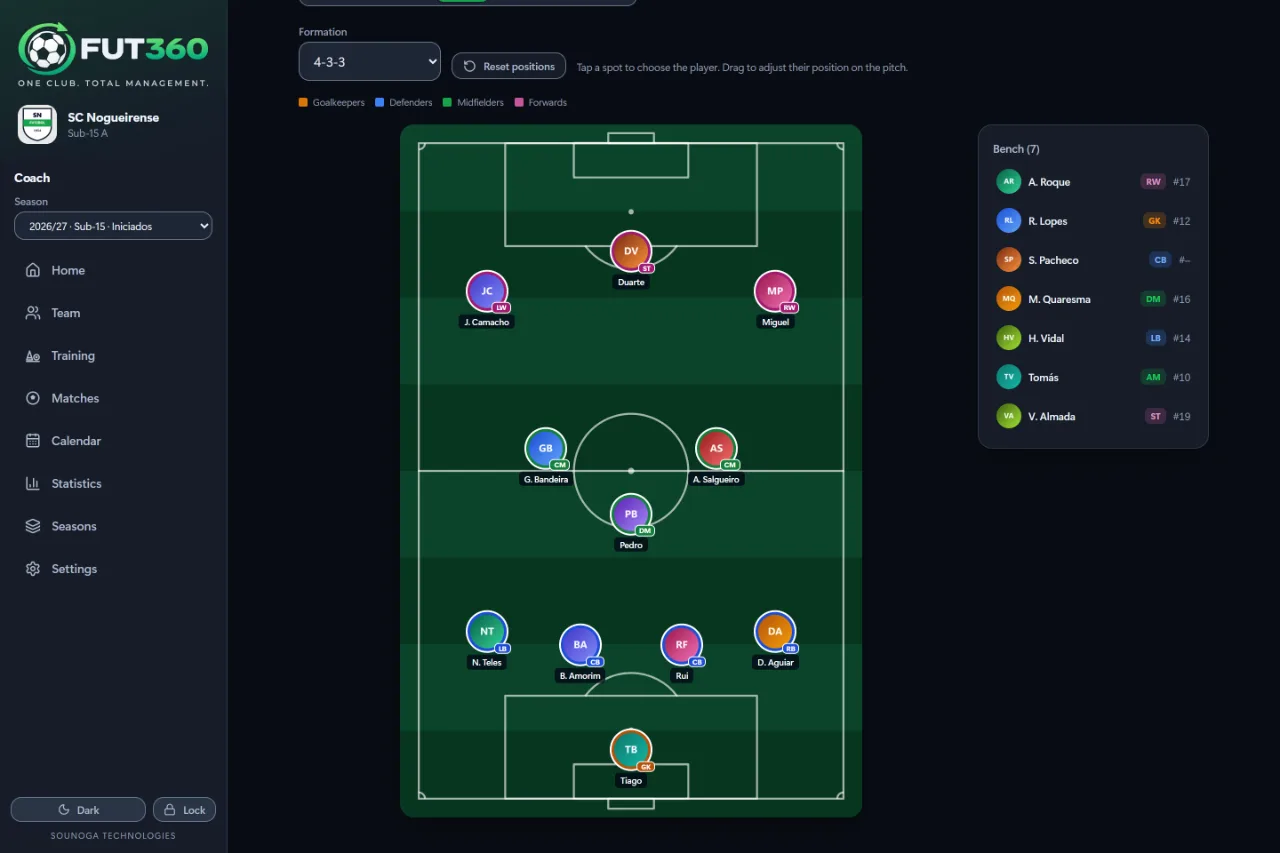
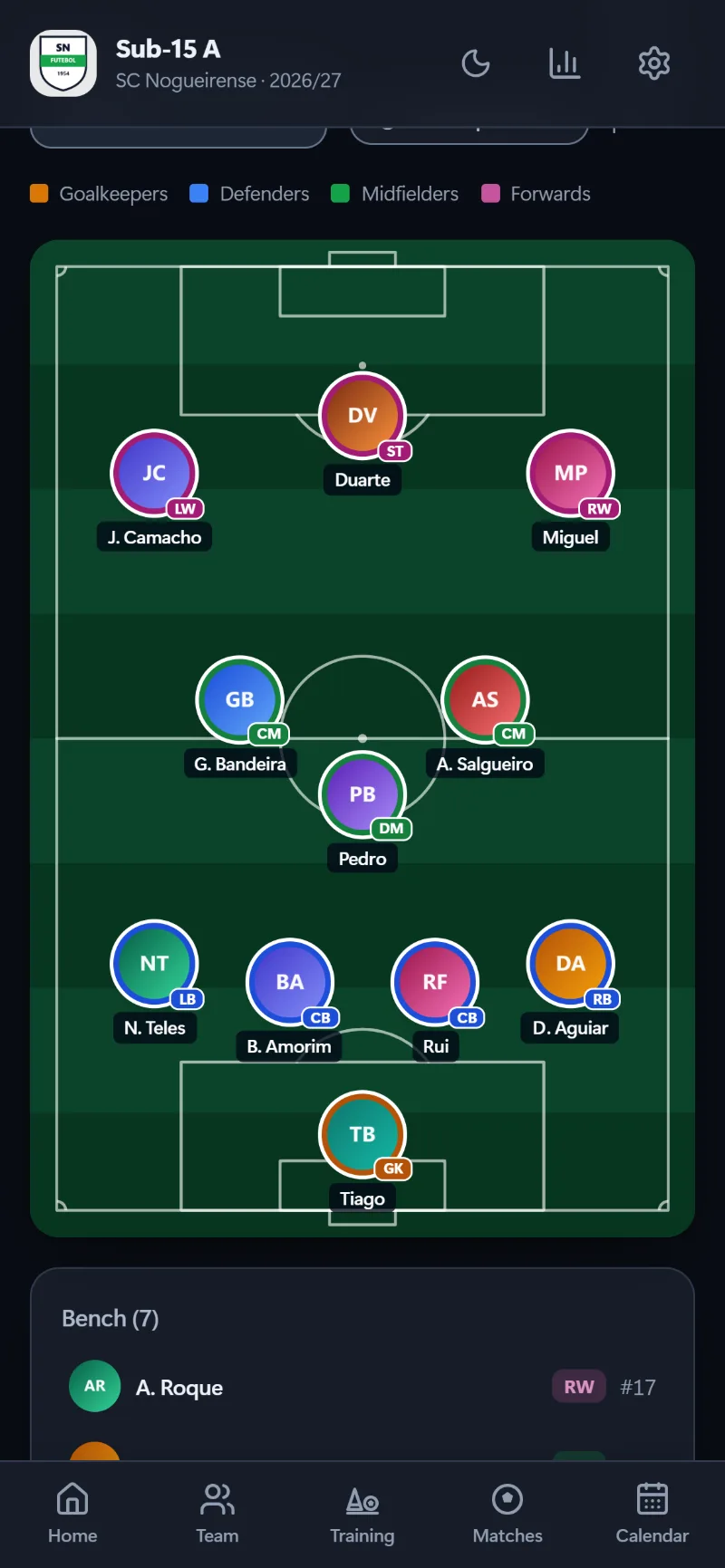
The call-up by line, in each position’s colour. “Suggest XI” fills the formation from the players’ positions — then tap to swap and drag to fine-tune.
Starters, substitutes, not called up and unavailable
Several formations, with every player’s photo on the pitch
The call-up shared on WhatsApp
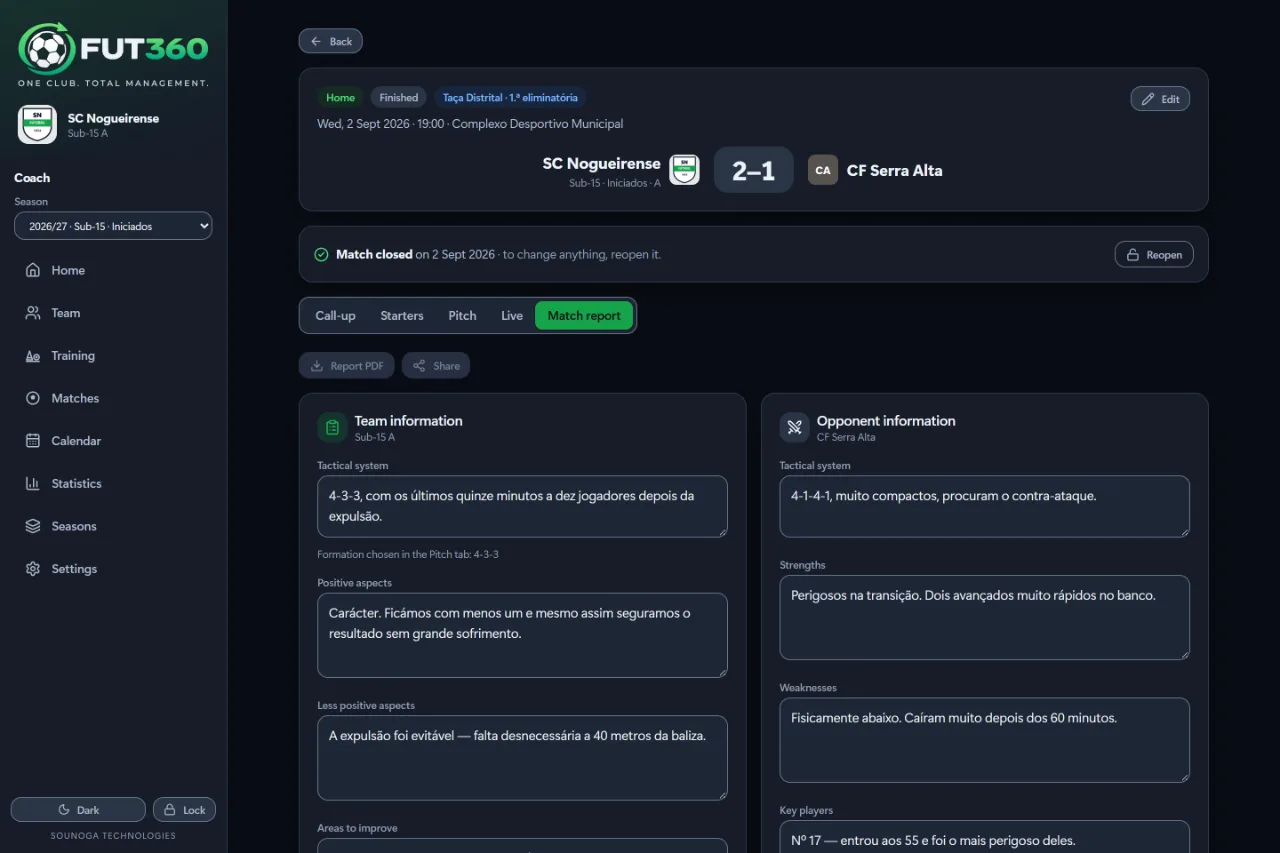
A match report with your own analysis and the opposition’s
Training
Plan, record, improve.
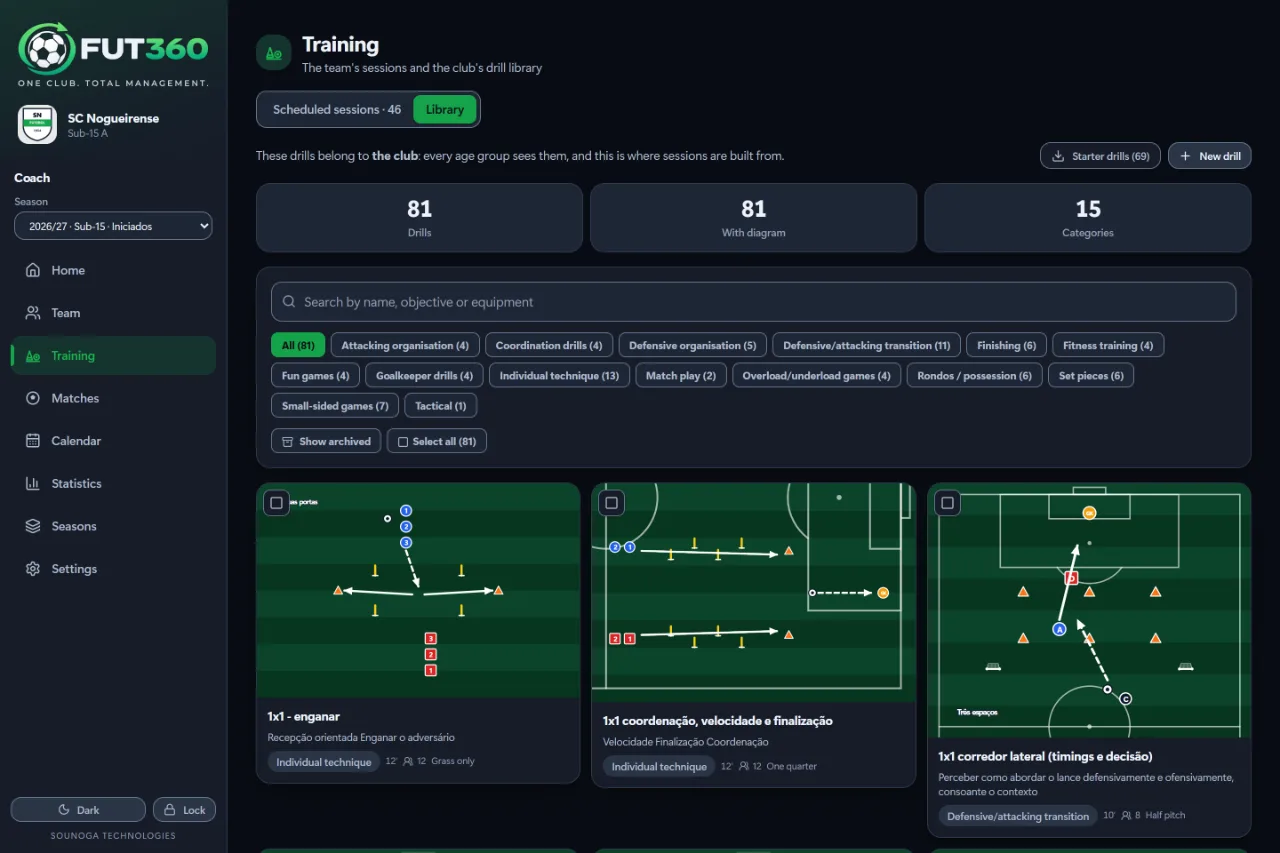
The drill library belongs to the club: a drill drawn once by the U15 coach serves every age group. Sessions are built in phases, attendance takes one tap, and afterwards you write how it went.
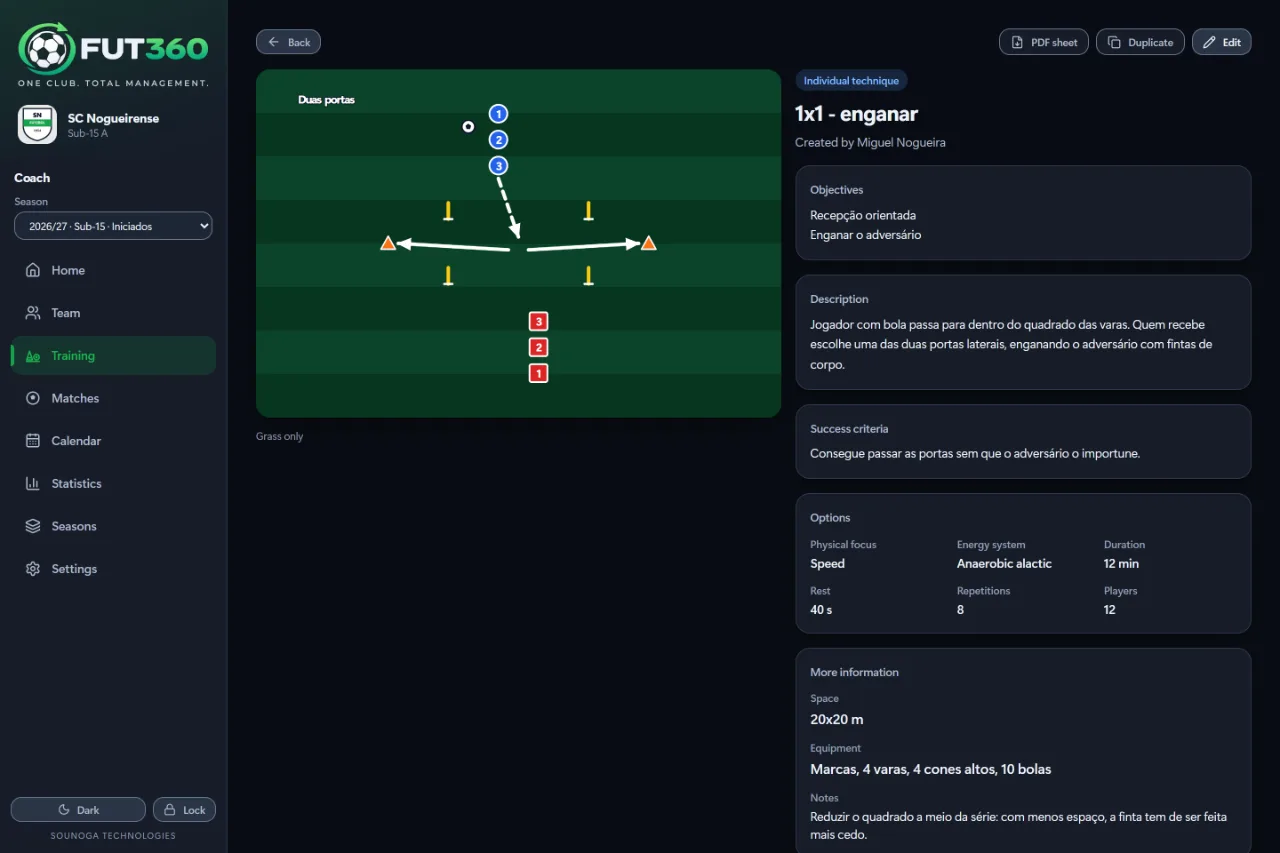
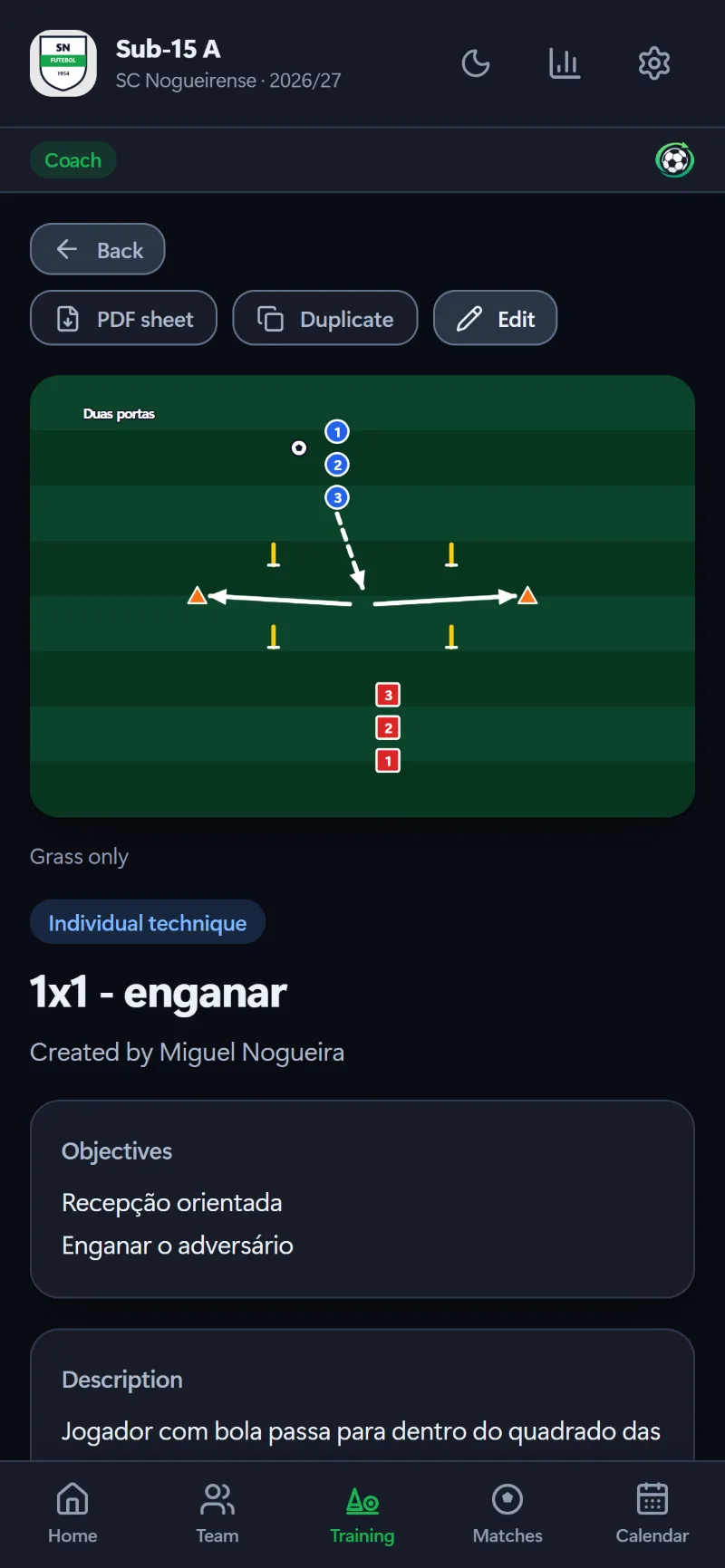
Drills with the diagram drawn on a pitch, objectives and equipment
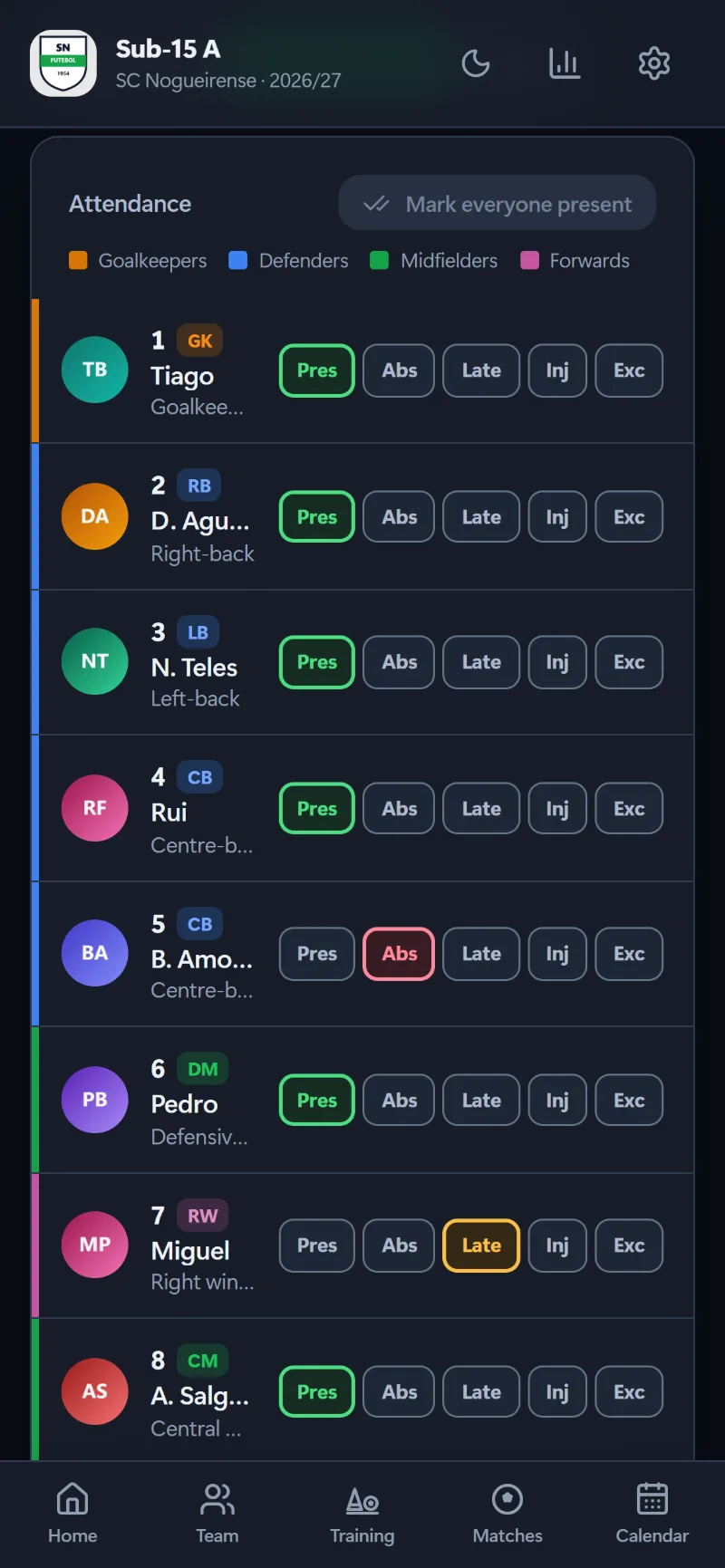
Attendance in five states: present, late, absent, injured and excused
Planned time side by side with actual time
Microcycles and mesocycles, with the week’s objective always in view
Players
Every player, in full.
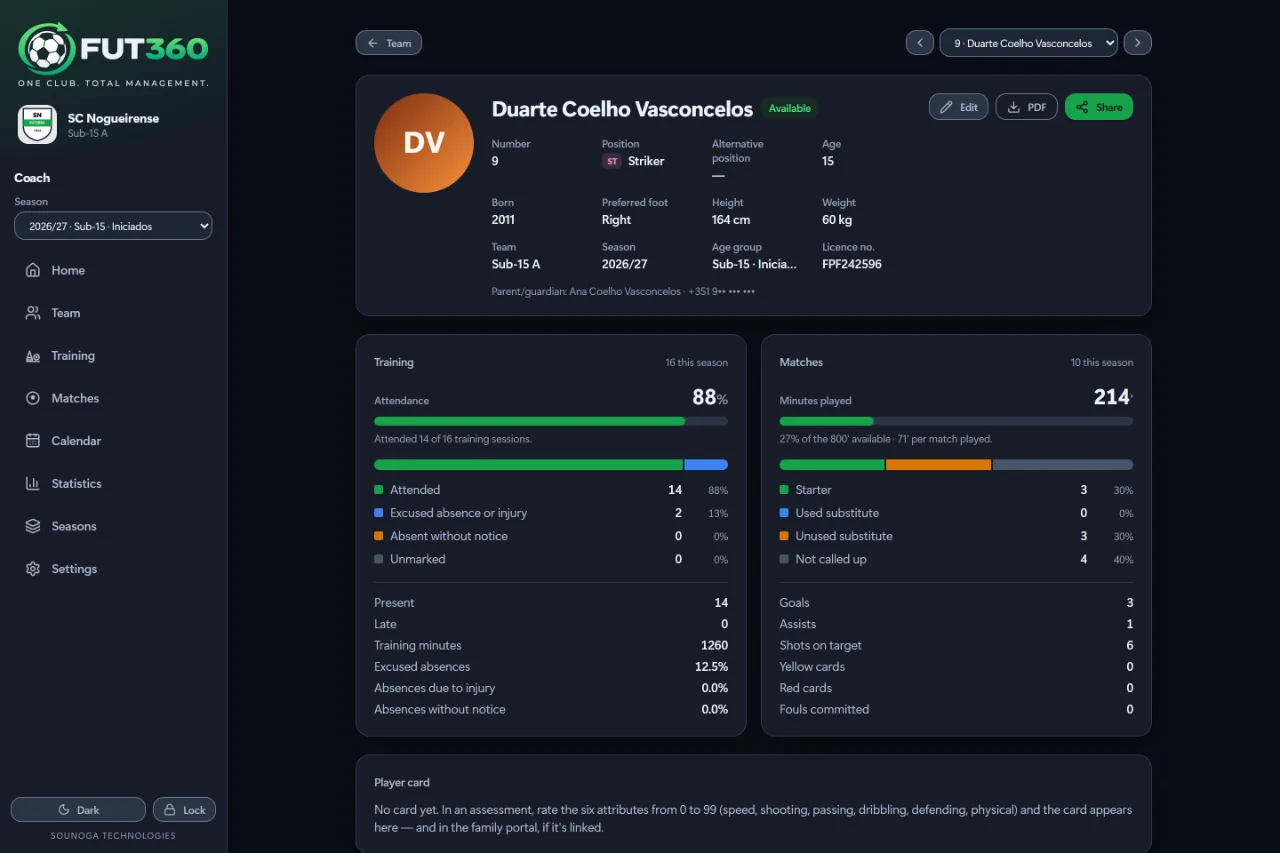
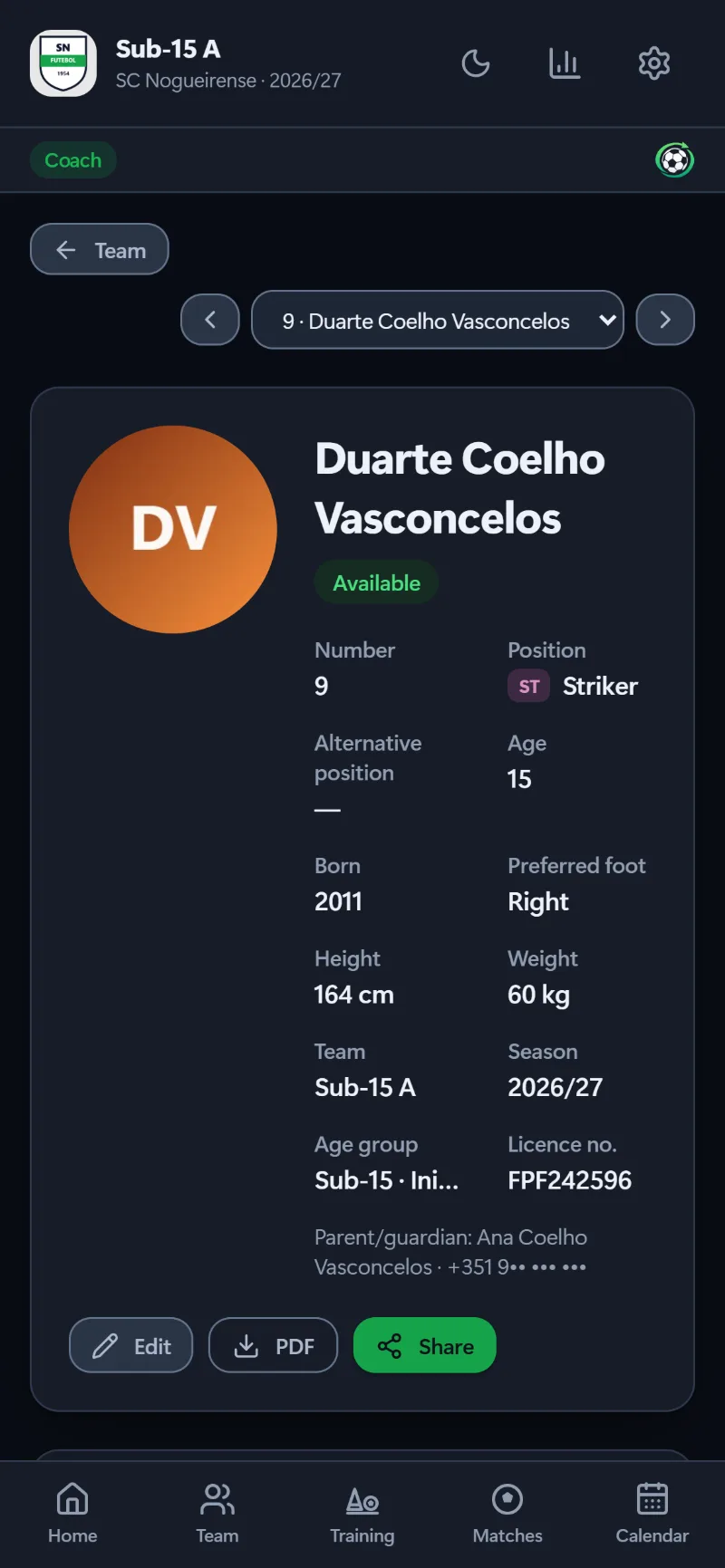
The profile brings together everything the app knows: availability, attendance, minutes played against minutes possible, starts and substitute appearances, and assessments across the season.
Assessments from 1 to 5 in Technical, Tactical, Physical and Mental, with history
Available, doubtful, injured or suspended — with a return date
Photos taken with the iPad camera
An individual PDF report
Player and family portal
A player’s career, season by season.
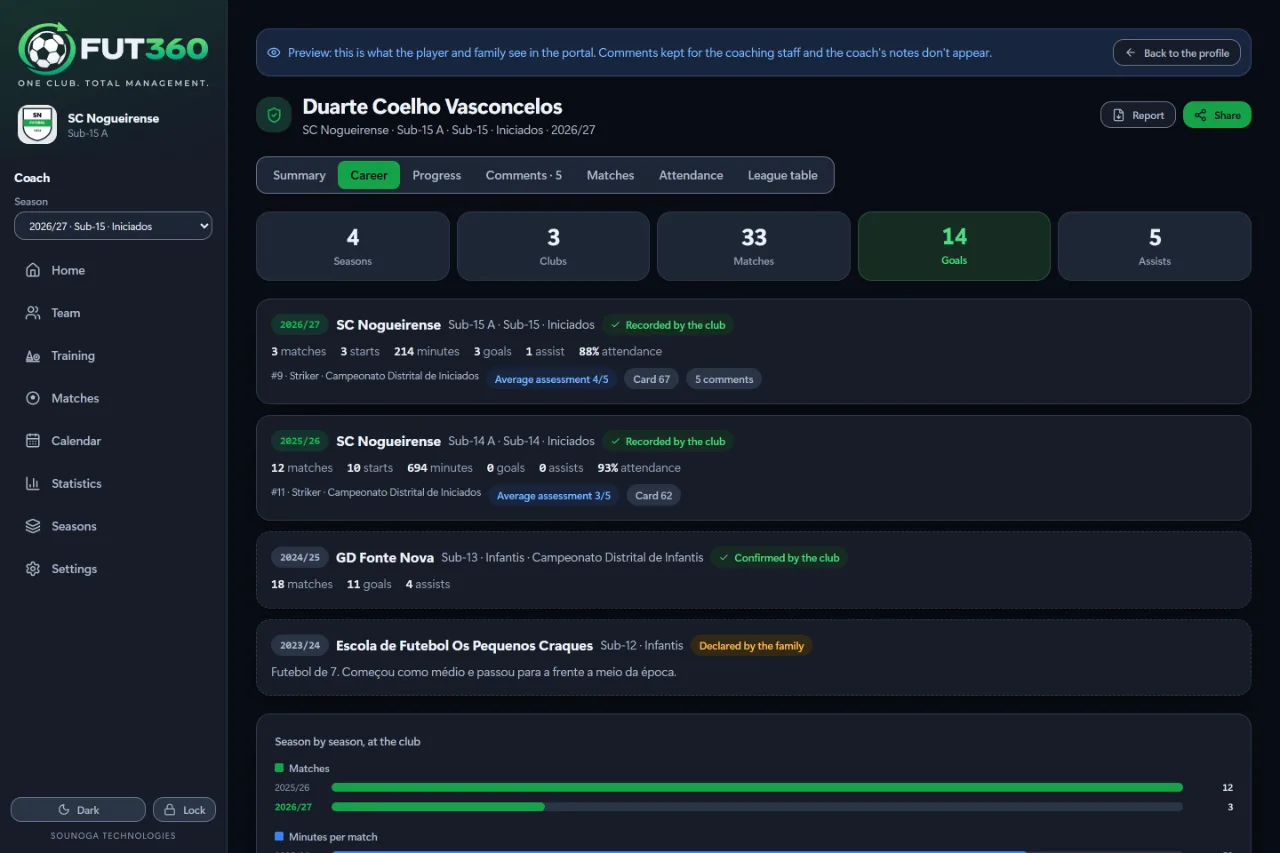
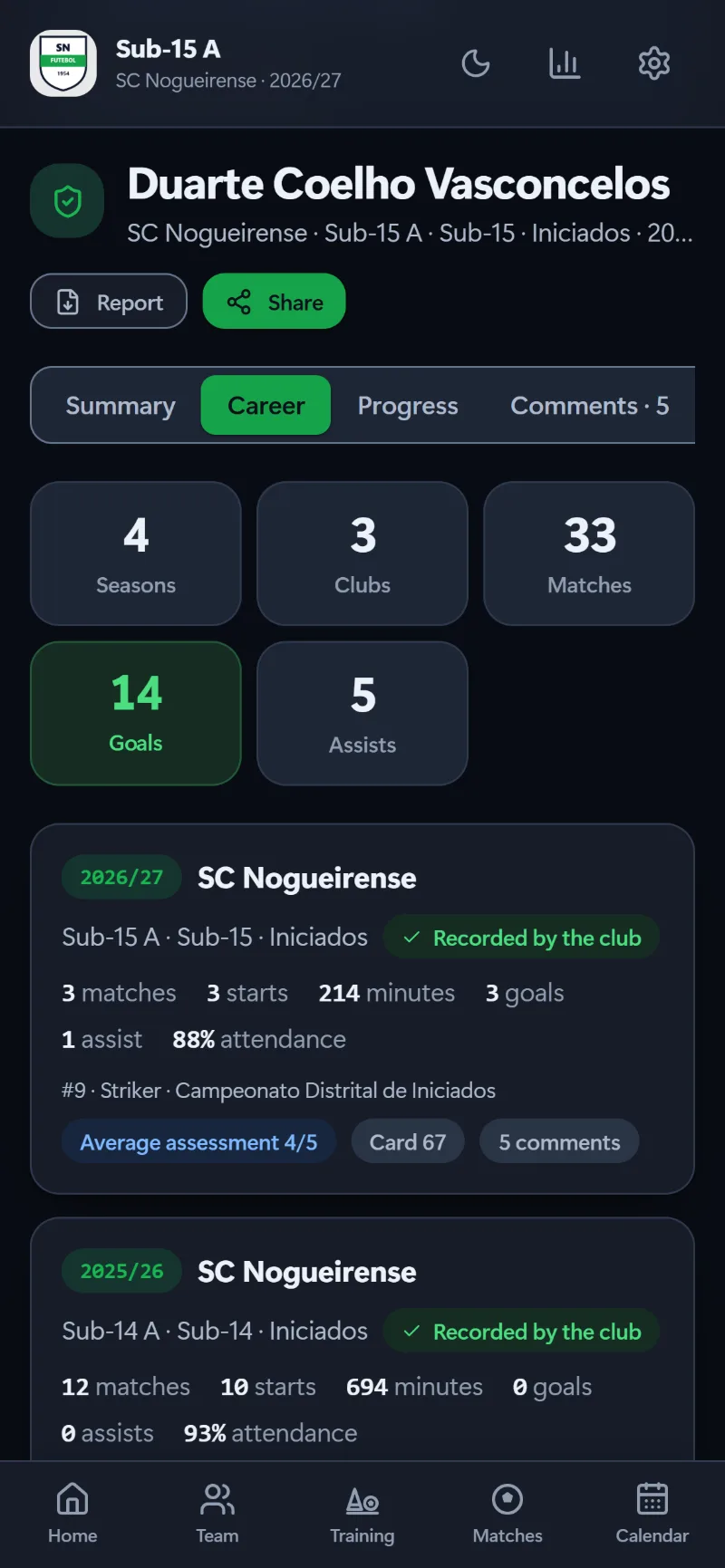
Just like career mode: every season at the club with its numbers, the seasons at other clubs and how the player card has grown. Players and families sign in with their own account and see what’s theirs — and nothing else.
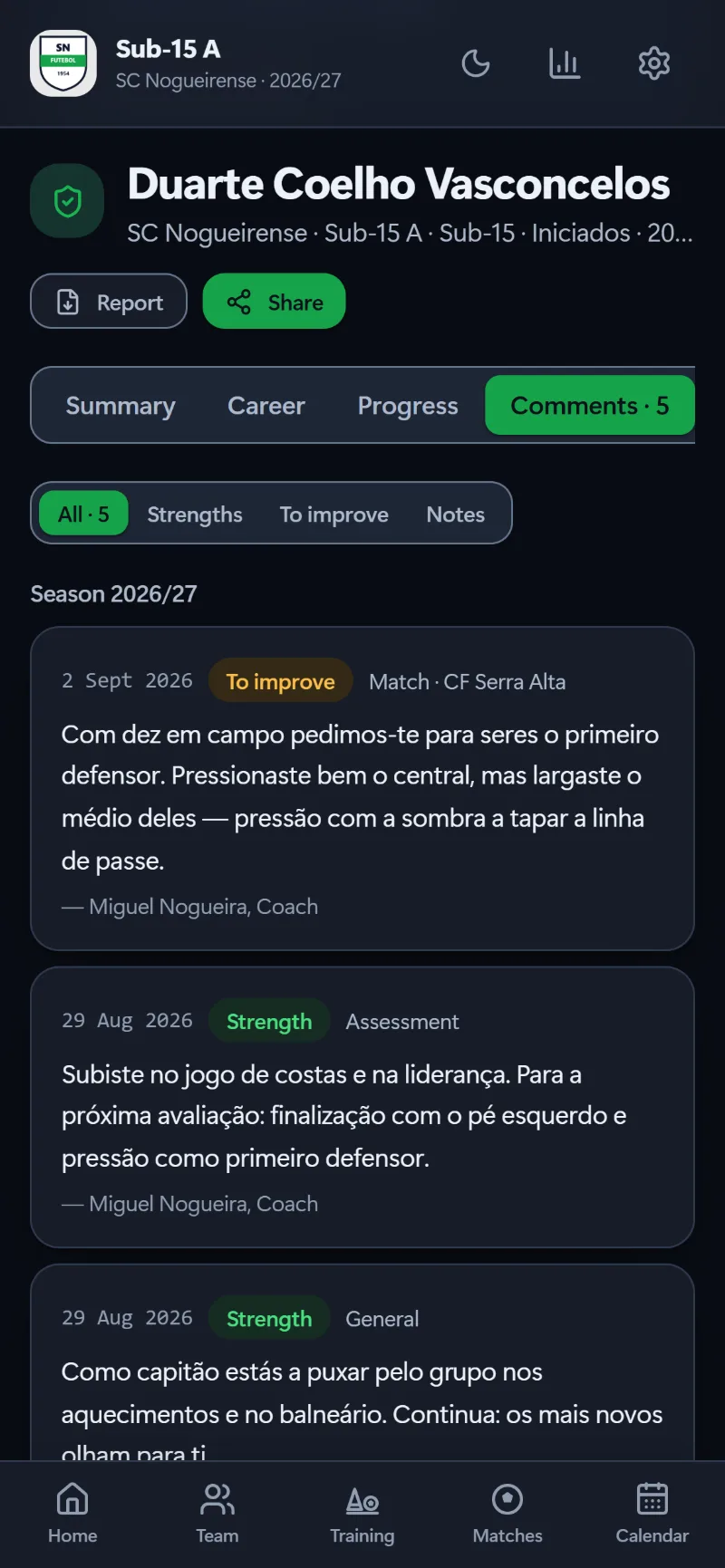
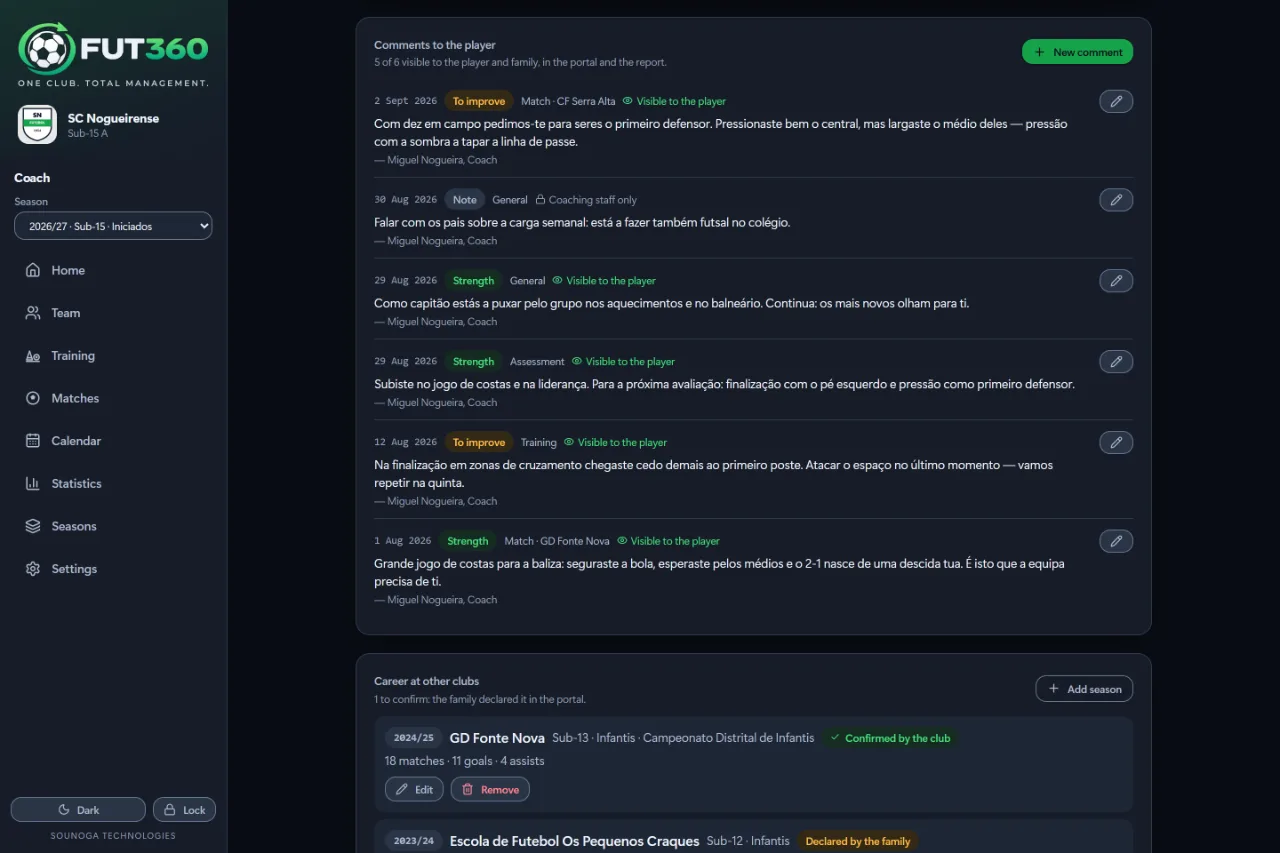
The coaches’ comments throughout the season: strengths and what to improve
Seasons at other clubs, declared by the family and confirmed by the club
A PDF report to show another coach — or an external coach
Staff notes never leave the staff: not to the portal, not to the report
Statistics and seasons
Numbers that tell the season.
Per player and for the team, sorted from the goalkeeper forwards. Colour helps you find what matters — and the word is always written next to it.
Whole season or the last five matches, and export to Excel
Season comparisons always per game, never in totals
Each player’s progress from one season to the next
The league table pasted from zerozero.pt, with the maths checked
Calendar
The whole week, in view.
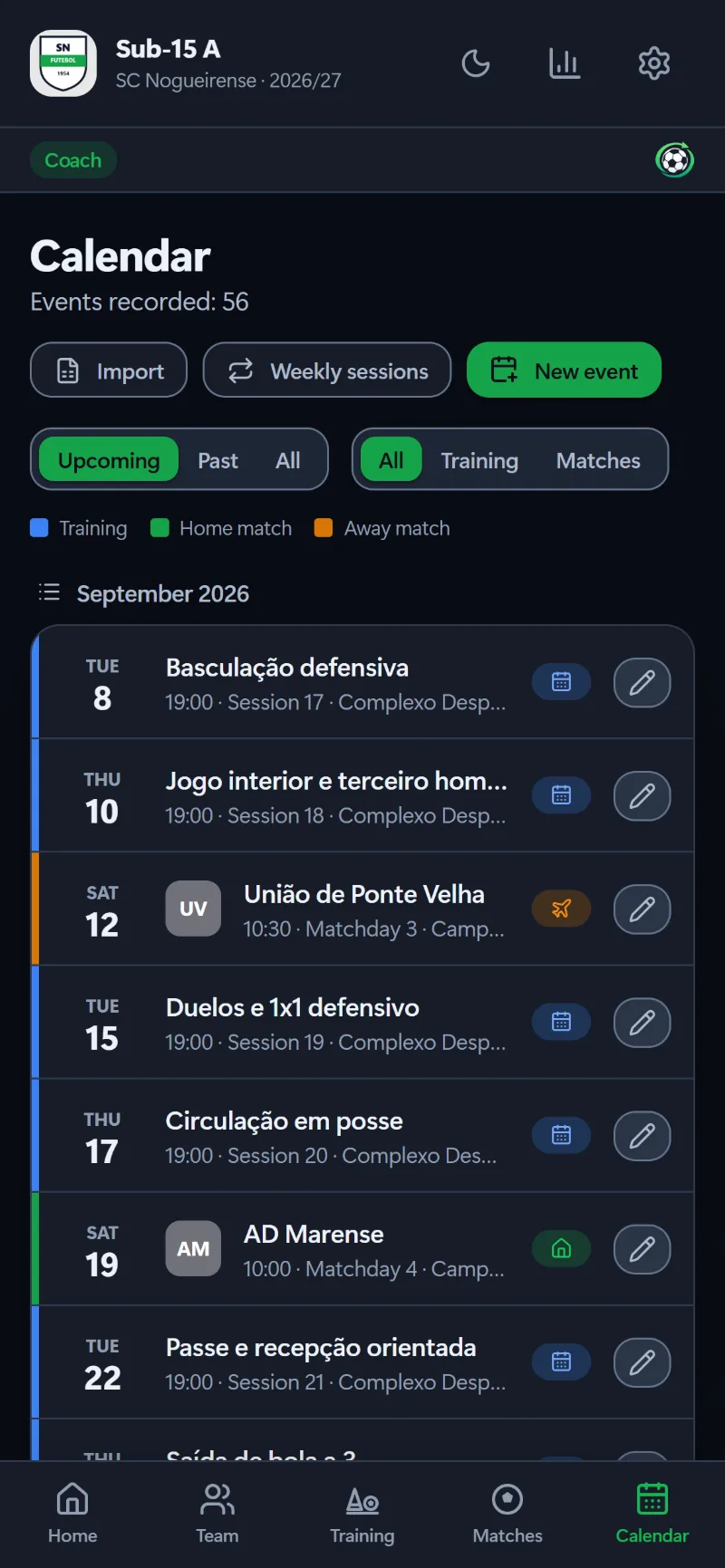
List and month side by side: one answers “what’s next?”, the other “what does the week of the 20th look like?”. Training, home match and away match — each with its own colour and its own word.
Weekly sessions generated for the whole season
The opponent’s crest, added once and remembered for good
Competitions defined once and picked for every match
The fixture list imported from a file
16one-tap match actions
5training attendance states
4assessment areas per player
4languages, from screens to PDFs
Screens
See inside.
Real screens from the app, with fictional demo data.
The season at a glance: results, attendance and team form.
A clock for each half and sixteen one-tap actions.
The starting XI in the chosen formation, with the bench alongside.
The session in phases, with drills from the library and the time for each.
Every drill with its diagram, objectives, success criteria and equipment.
Attendance, minutes, usage and assessments for every player.
What the staff tell each player, with the date: visible in the portal or kept for the staff.
The player card, the current season and the latest comment: what the player and family see.
Sorted by position, with colour that actually means something.
List and month side by side: three colours, three kinds of event.
Season-on-season comparison, always per game.
Your analysis and the opposition scouting, ready for PDF.
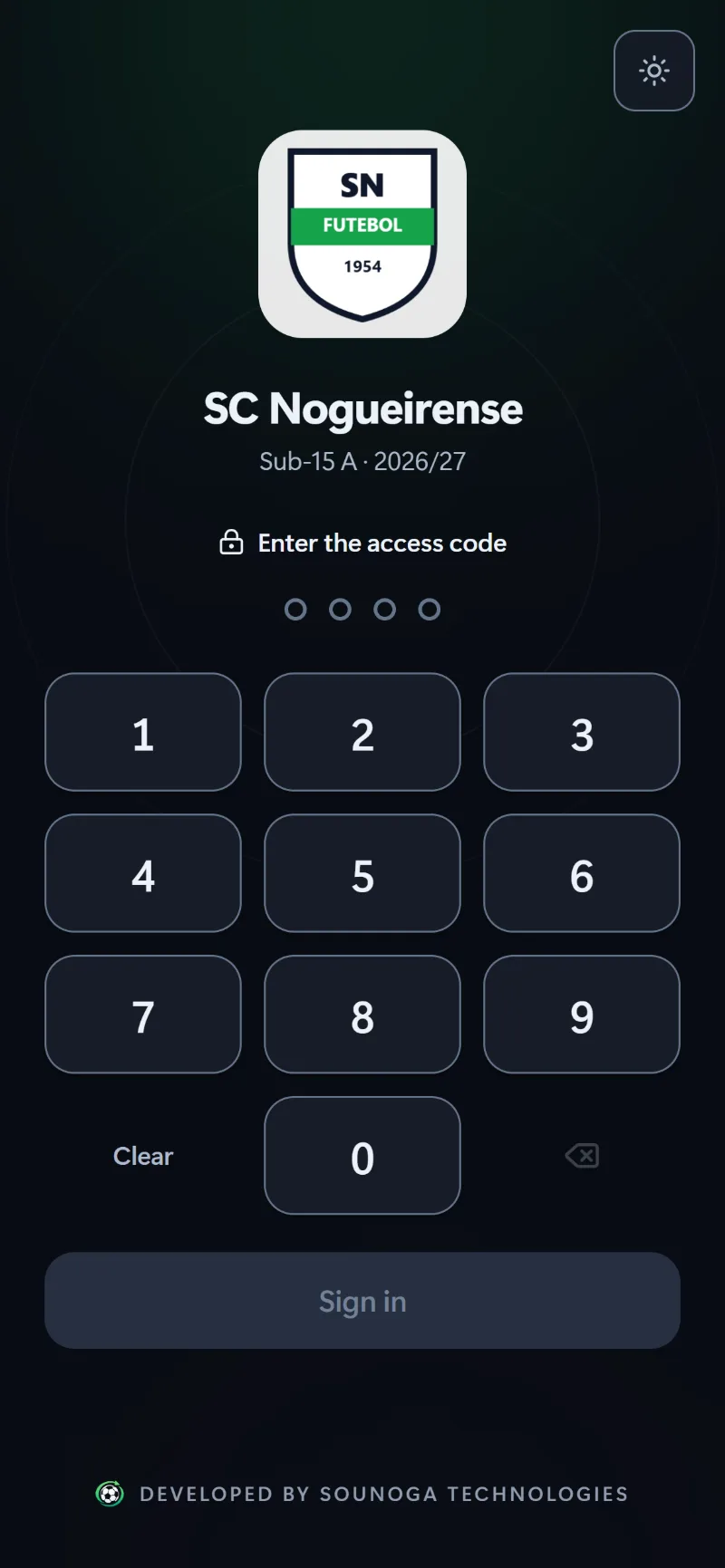
Unlock with a code or Face ID
The season at a glance
The match, minute by minute
The XI on the pitch
One-tap attendance
The drill library
The team calendar
Player statistics
The player profile
Career, season by season
The coaches’ comments
Season against season
Swipe to see more
One club, four audiences
Everyone sees what’s theirs.
Everyone signs in with their own account and finds their own work: the server decides what each person can see and change.
Team managers
They run the club: teams, staff, players and guardians. They approve pitch bookings and open the new season.
Coaches
They plan the week, run the match and follow every player — on the iPad, even offline.
Players
From age 13, with their own account: every season’s record, the coaches’ comments and a report to show other coaches.
Parents
Guardians sign in with their own account and see their own child — and only theirs. They add seasons at other clubs; the club confirms them.
Offline first
No signal at the ground? No problem.
Fut360 writes everything to the device first. A whole match without a connection doesn’t lose a single entry — and when the signal comes back, syncing happens on its own.
Everything saved on the device, as you tap
Automatic sync when there’s a connection, and manual at any time
A complete backup — photos included — in a single file
iPad on the touchlineSaved on the device
Sending when there’s signal
Club cloudSynced
Security and privacy
The club’s data, kept safe.
An app that holds data about young players has to be secure by design — not as an option.
Personal accounts
Everyone signs in with their own account (Microsoft Entra). The server checks the account on every request and decides what each person sees.
Code or Face ID
On phones and tablets, a 4- to 6-digit code or the device’s biometrics. The code never leaves the device.
Every club in its own space
The boundary between clubs is enforced on the server, and the staff can only change what’s theirs to change.
Young players’ data protected
Platform administrators see counts, not squads. Entering a club to give support is an explicit step, and it’s logged.
In Microsoft’s cloud
Hosted on Microsoft Azure, in Europe. Backups never include the access code or biometrics.
For everyone
Colour with meaning, never colour alone: the word is always written alongside, with contrast measured in both themes.
Made for your club
In your club’s colours.
Your club’s colours become the app’s accent — buttons, tabs, charts. The text colour on top is worked out from the contrast: a yellow club gets black text, a navy one gets white.
Light and dark, following the device
English, Portuguese, Spanish and French
The same on every screen
U15 AYour club
OverviewPlayers · 18Staff · 5
Start matchStarter
4Wins
Try a colour
Plans
For the whole club, or just for your team.
The same app, the same security and the same screens, sized for each of you. And your data comes with you: changing plans leaves everything that’s already there untouched.
Club
For clubs and academies
The whole app, for every team and everyone at the club.
Unlimited teams, season after season
Coordinator, coaches and staff, each with their own account
Club management, pitches, chat and the training library
The family portal included — or paid by each family, as the club prefers
A player’s portal: every season’s record, the assessments, the coaches’ comments and the PDF report.
One subscription per player, for both parents and the player from age 13
Follows the player from season to season
At a club, it can be included in the club plan
With a coach, 30 days free on the first visit
Comes by invitation from the club or the coach.
The coach plans start with a 30-day free trial. For now, SouNoga sets up your workspace with you — book a demo.
FAQ
Frequently asked questions.
Does it really work without internet?
Yes. Everything is saved on the device first and syncs automatically when there’s a connection. A whole match with no signal is logged minute by minute.
Which devices does it run on?
iPad, iPhone, Android, PC and Mac, in the browser. It installs on the home screen like an app, without going through any app store.
Who uses the app?
The coordinator, the coaches and the staff, each with their own account and permissions. With the Player portal, parents and guardians — and, from age 13, the players themselves — see their own record.
What does a player or a parent see?
Only their own player: the seasons at the club and at other clubs, the assessments, the comments the staff chose to share, the matches and the attendance. The coach’s notes, comments kept for the staff, contact details and teammates’ names never appear.
Can a player show their record to another club?
Yes. The player report puts every season’s record, the assessments and the shared comments into one PDF, ready to send by WhatsApp or email to another coach — with seasons at other clubs marked as declared by the family or confirmed by the club.
How does a club get started?
SouNoga creates the club and invites the coordinator by email. From then on, the coordinator creates the teams and adds the coaches, staff and families — each gets their own invitation.
I’m a coach without a club. Can I use it?
Yes. The Coach and Coach Pro plans are the same app, without the club management around it: your teams, your training sessions and matches and, with Pro, your own staff. They start with a 30-day free trial. If your workspace ever becomes a club, everything comes along.
How does the family portal work?
Each player has their own, with a subscription that covers both parents and the player from age 13, and follows them from season to season. At a club it can be included in the club plan; with a coach, it starts with 30 days free on the first visit.
What happens when the trial or the subscription ends?
Nothing is deleted. The app gives a week’s notice; after that, the data can still be seen on every device, and anything new is kept on the device until the subscription is back.
Can I bring my existing squad?
Yes. The squad and the fixtures import from Excel or CSV files, and the league table can be pasted straight from zerozero.pt — the app checks the maths on every row.
Can I keep a copy of the data?
Yes. In Settings you can save a complete backup, photos included, in a single file. When restoring, you choose between merging and replacing.
Which languages is it available in?
English, Portuguese, Spanish and French. Everyone uses the app in their own language — including the PDF reports, the messages and the email invitation.
Bring Fut360 to your club.
Book a demo and see the app at work with a sample team.