Skip to content

Fut360 is out. Sign up by 30 November and your free trial is 60 days instead of 30. Try it free

Fut360

Modules

What each module does.

Each module answers a question that someone at the club actually asks: the coach, the coordinator, the physio, the player or the family. Below you’ll find what each one does, who uses it and which plans include it.

For the coaching staff

Home

The coach, when they open the app

The first screen you see each day. It shows what’s coming up this week, how the team is doing and anything waiting for you, so “how are we doing?” takes about ten seconds to answer.

  • Season results from official matches only, with recent form
  • Training attendance, and goals scored and conceded per game
  • This week’s training and matches day by day, with the next match highlighted
  • The current microcycle with its number, mesocycle, dates and main objective
  • Recovery plans waiting for the coach to approve them
  • Tap a number to go to the matches, players or sessions it counts
  • Each role can choose which panels it sees

Included inClubCoachCoach Pro
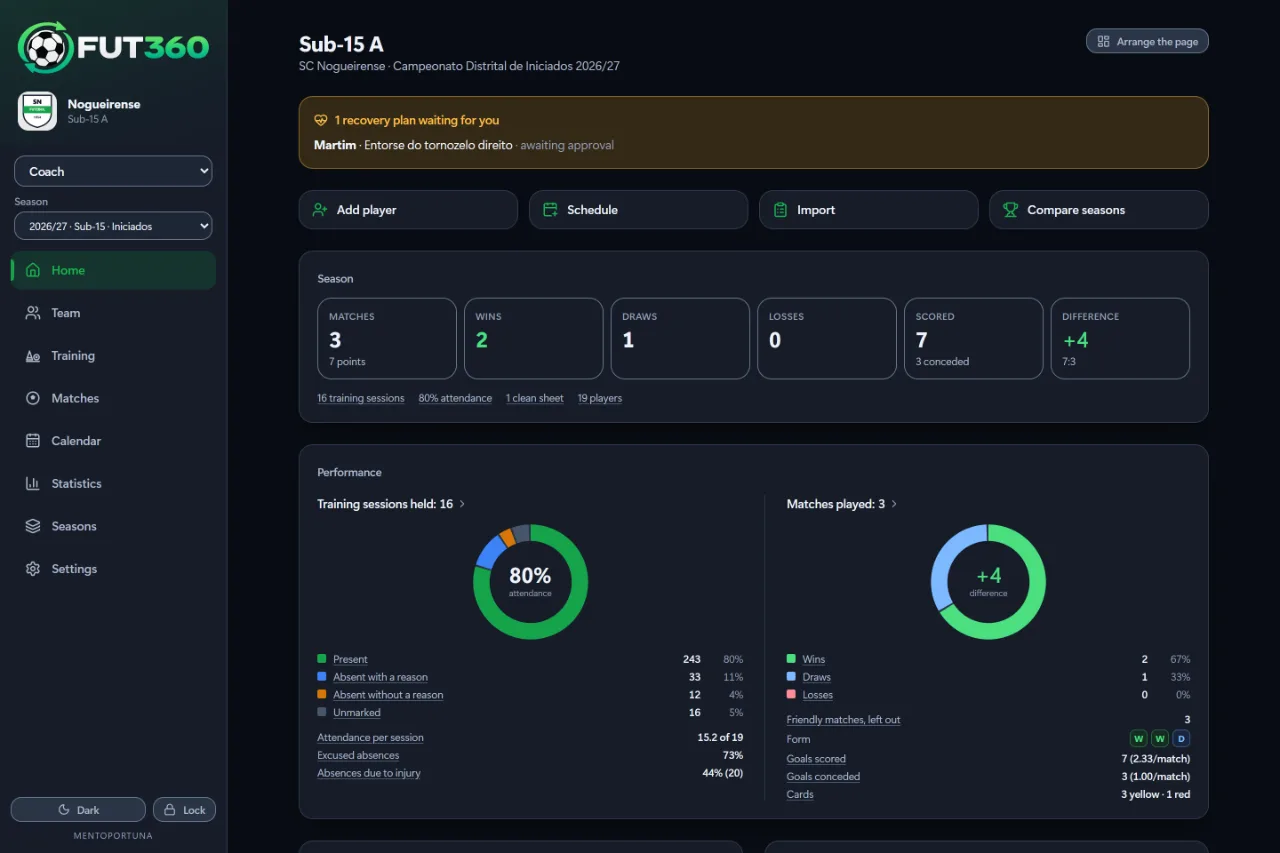
The home screen with season results, training attendance and form.

Team

The coach and the staff

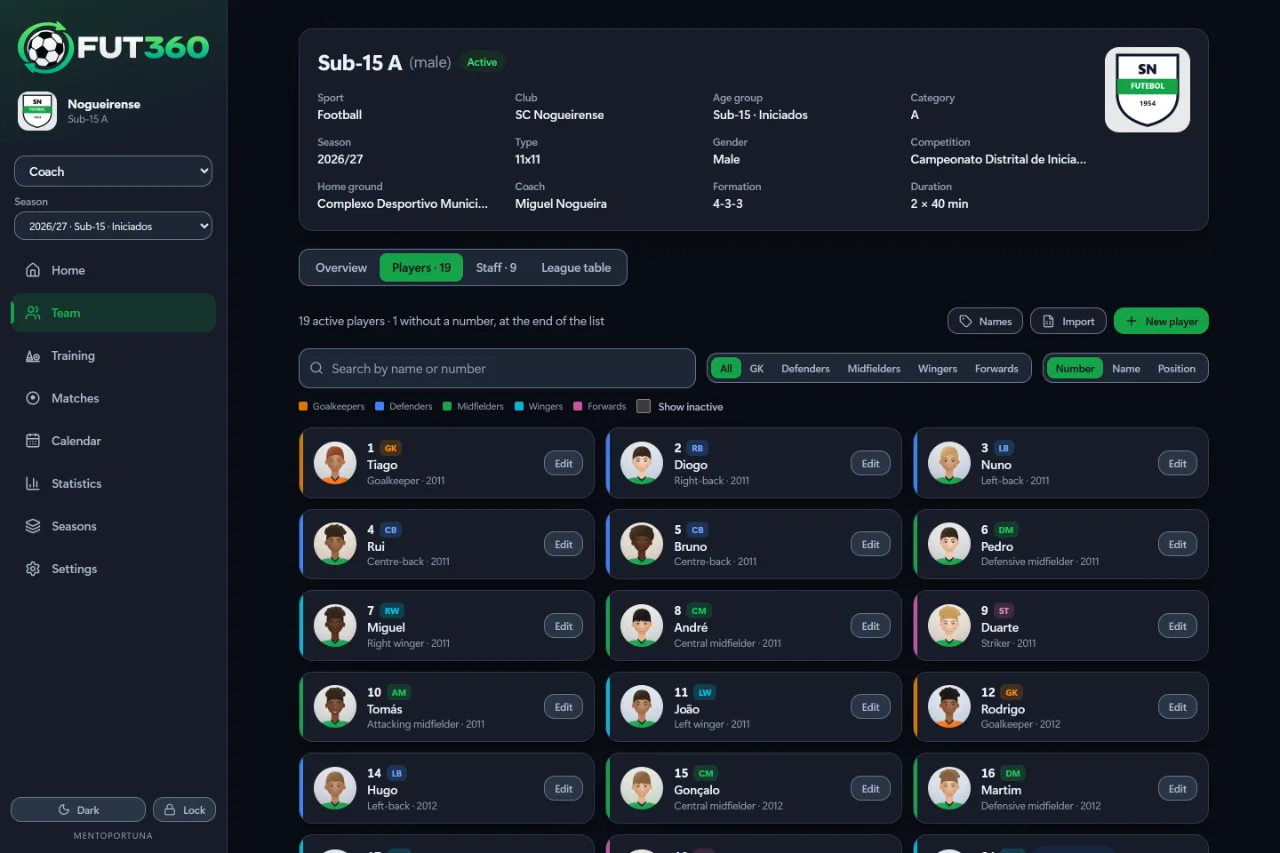
Four tabs: a summary of the team, the squad, the staff and the league table. Each player has a profile with a photo, and it brings together everything the app knows about them.

  • The squad sorted by shirt number, name or position, in each line’s colour
  • Player profiles with availability, attendance, minutes, game time, assessments and match ratings
  • Minutes in each position, from the changes logged in the Live tab
  • Staff roles, photos and contact details
  • Take photos with the tablet or phone camera, or choose them from the gallery
  • Import the squad from an Excel or CSV file
  • An admin file for registration, medical, insurance, contract and documents

Included inClubCoachCoach Pro
The squad by shirt number, with positions shown in their line colours.

Training

The coach, before, during and after the session

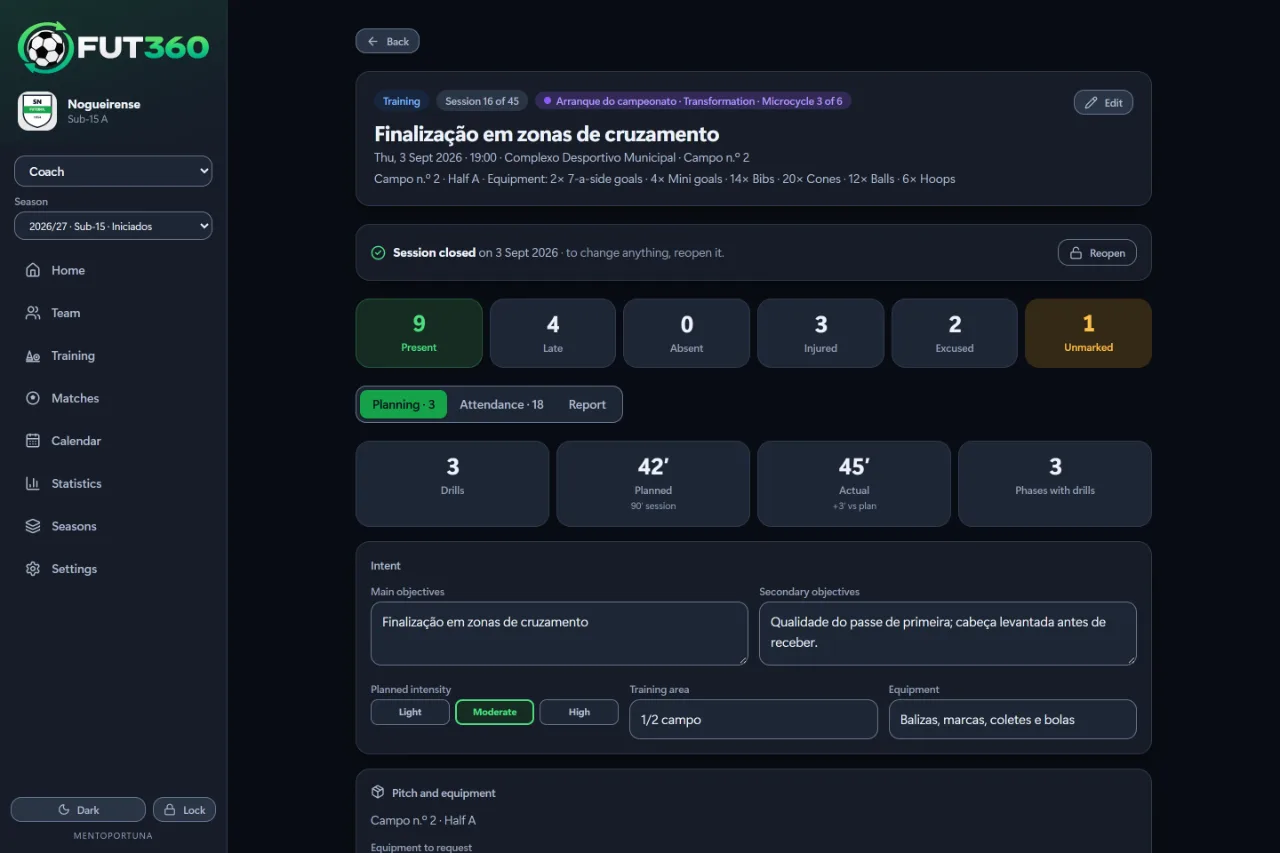
Plan the session from the club’s drill library, take attendance with a tap, and close it with a report and a note on how each player did.

  • Sessions in phases, with drawn drills and a time for each
  • The club’s drill library, shared by every age group
  • Attendance with five options, and injured players already marked
  • A sheet for each player in every session: the impression of the day, what went well, what to work on and a note for the physio
  • The pitch, or part of it, booked for each session, and equipment requested with quantities
  • Mesocycles in two minutes (type, weeks and days), with a review of each microcycle
  • Each session shown as closed, still open or scheduled

Included inClubCoachCoach Pro
A session plan in phases, with drills from the library and their timings.

Matches

The coach, from call-up to report

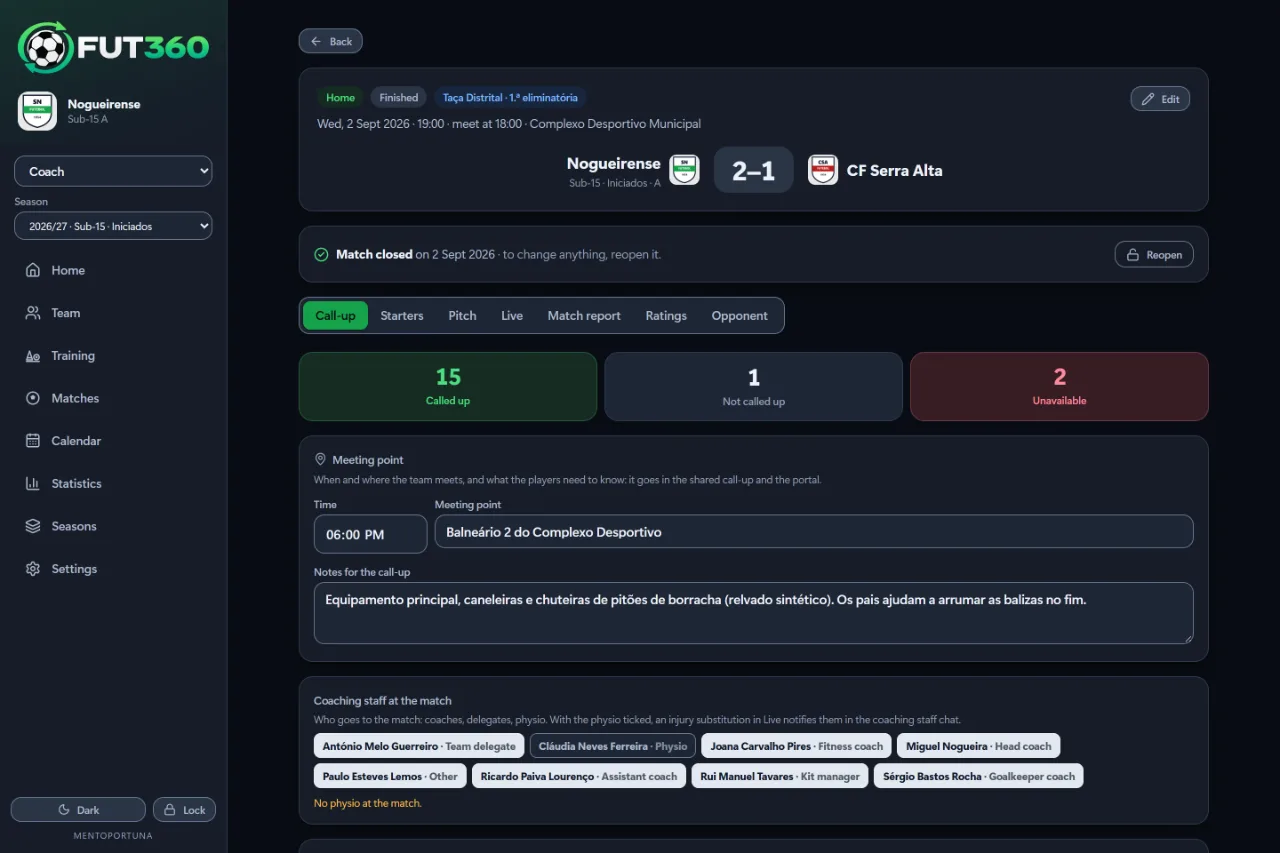
Seven tabs, in the order you need them on matchday: Call-up, Starters, Pitch, Live, Match report, Ratings and Opponent. All of it works offline.

  • The call-up shows who’s unavailable and why, and suggests an XI
  • A tactics board with opponents, ball, arrows and zones, full screen
  • Live logging with 16 actions, and subs and position changes made by dragging
  • A minutes plan for academy teams, with warm-up reminders
  • Match ratings from 1 to 5 in each area, for the position played
  • An opponent profile: how they play, their set pieces and your season against them
  • Call-ups sent by email with the parents’ replies, plus warnings about injuries and suspensions
  • Live updates on the family’s phone, and a match card for Instagram

Included inClubCoachCoach Pro
A call-up showing who’s going, who isn’t and why.

Calendar

The whole coaching staff

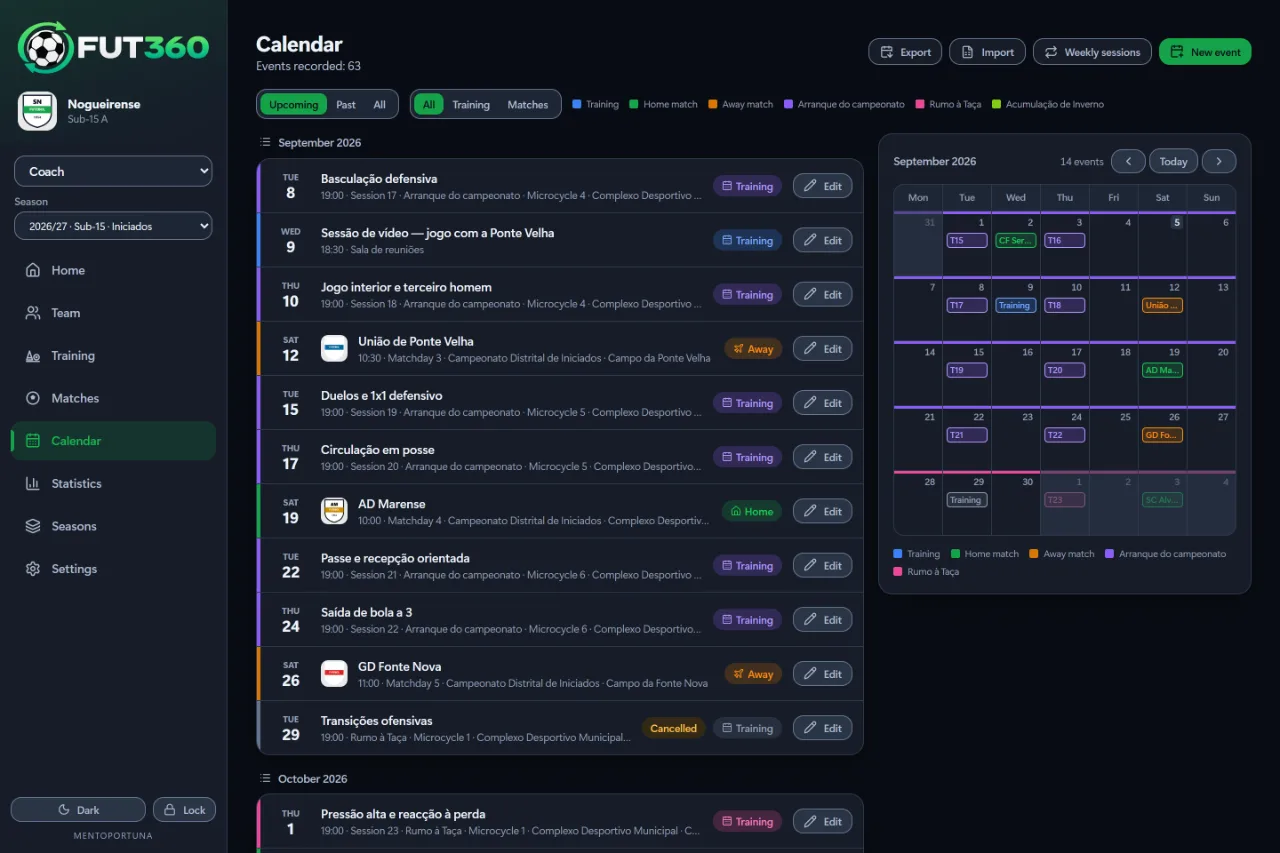
The list tells you what’s next and the month grid shows what the week of the 20th looks like. On a tablet in landscape you get both side by side; on a phone you switch between them.

  • Training, home and away matches, each with its own colour and label
  • Weekly sessions set up for the whole season
  • Opponents’ crests, added once and kept
  • The return fixture created with home and away swapped
  • Export to Outlook, Google Calendar and the iPhone, or import fixtures from a file

Included inClubCoachCoach Pro

The calendar, with upcoming events and the month grid.

Statistics

The coach and the coordinator

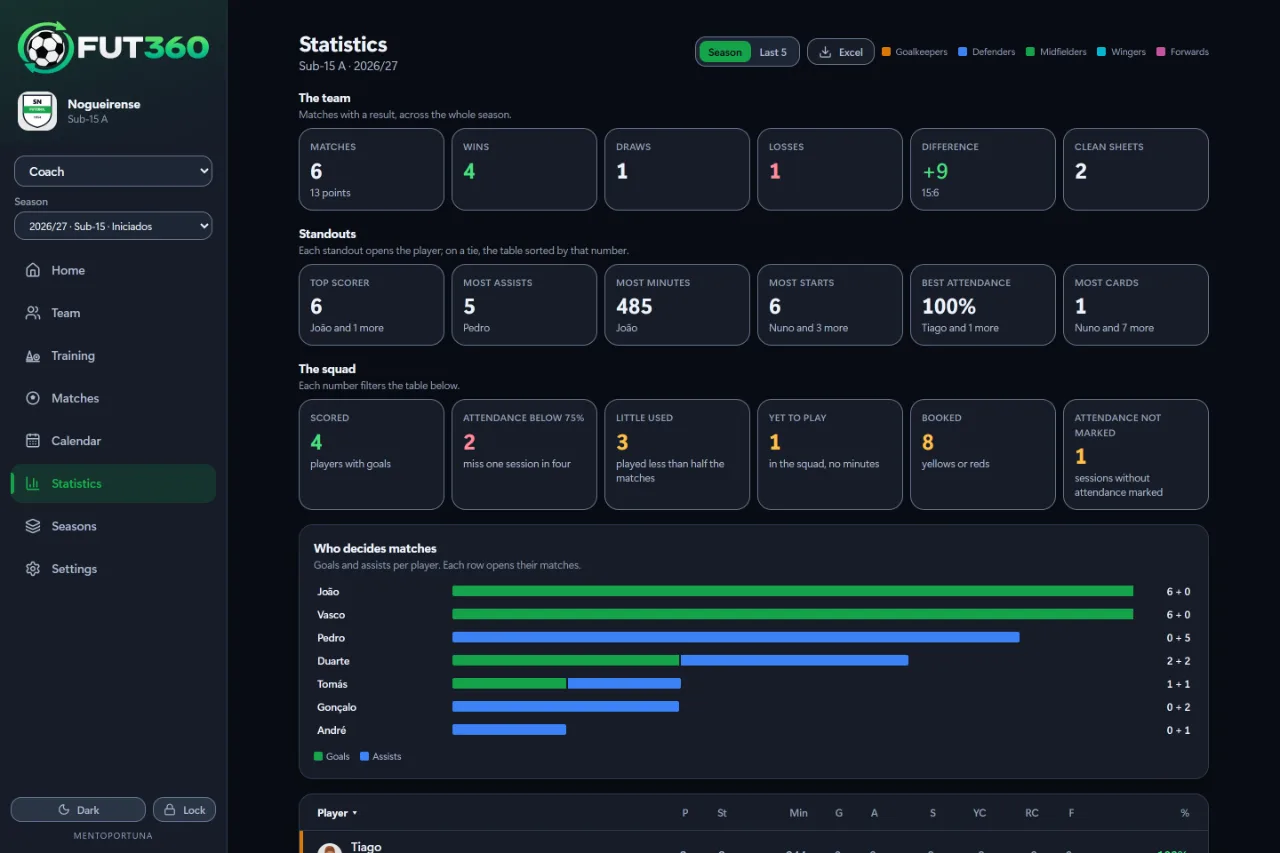
For each player and for the team, sorted from the goalkeepers forward. Colour helps you spot what matters, and there’s always a word next to it.

  • Matches, starts, minutes, goals, assists, shots on target, cards and attendance
  • Wins, draws, defeats, goals scored and conceded, and clean sheets
  • The whole season or the last five matches
  • Sort by any column and export to Excel
  • Click a number to open the matches it counts, or the player
  • Paste the league table from zerozero.pt and the maths gets checked

Included inClubCoachCoach Pro

Player statistics sorted by position.

Seasons

The coach and the club, year after year

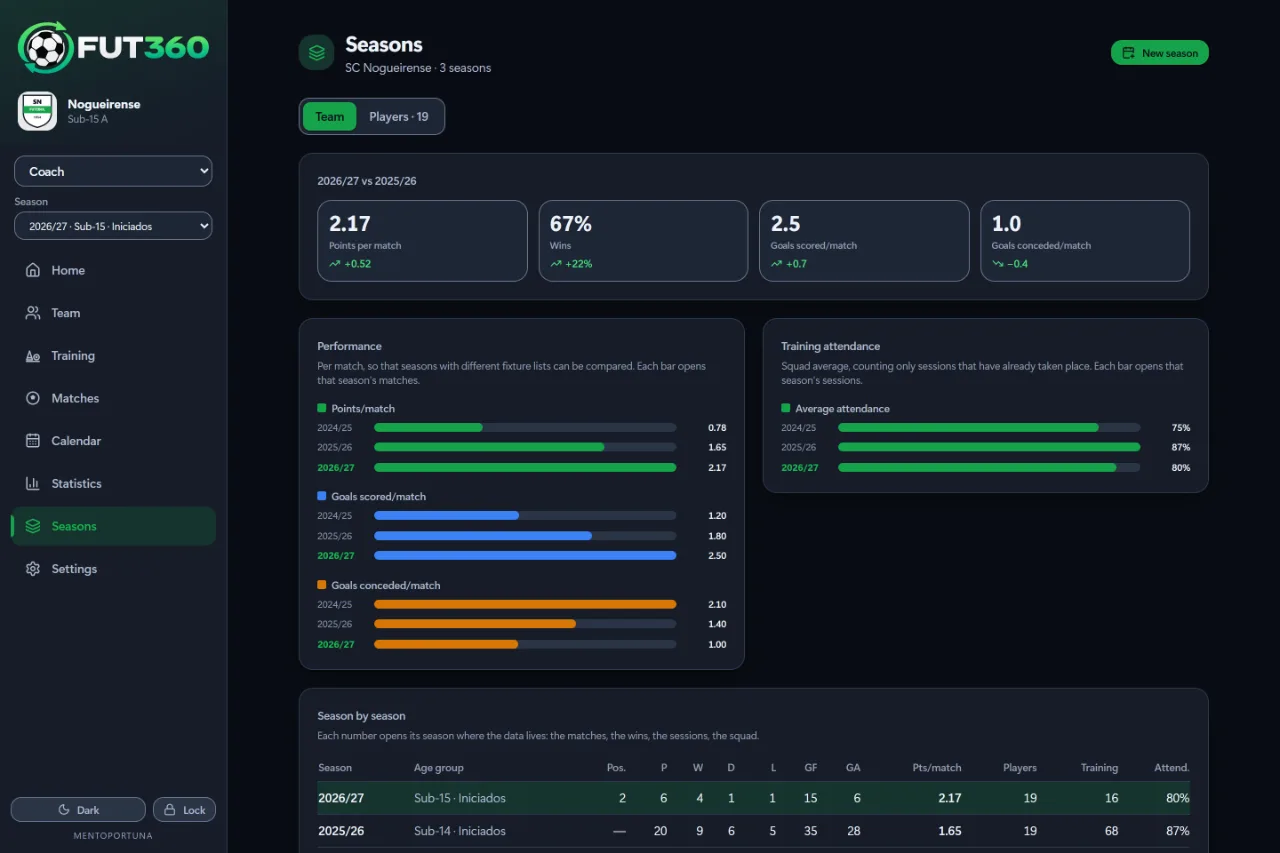
Each season is its own team, linked to the same club. You move to the next season from a single screen, and the previous one is archived with all its data.

  • Season rollover: you choose who moves up
  • Seasons compared per game, not in totals
  • Points, goals, attendance and league position, season by season
  • How each player has progressed, if they’ve played more than one season
  • Each number opens the season it comes from

Included inClubCoachCoach Pro

Comparing seasons: points, wins and goals per game.

Reports

The coach, the club and the families

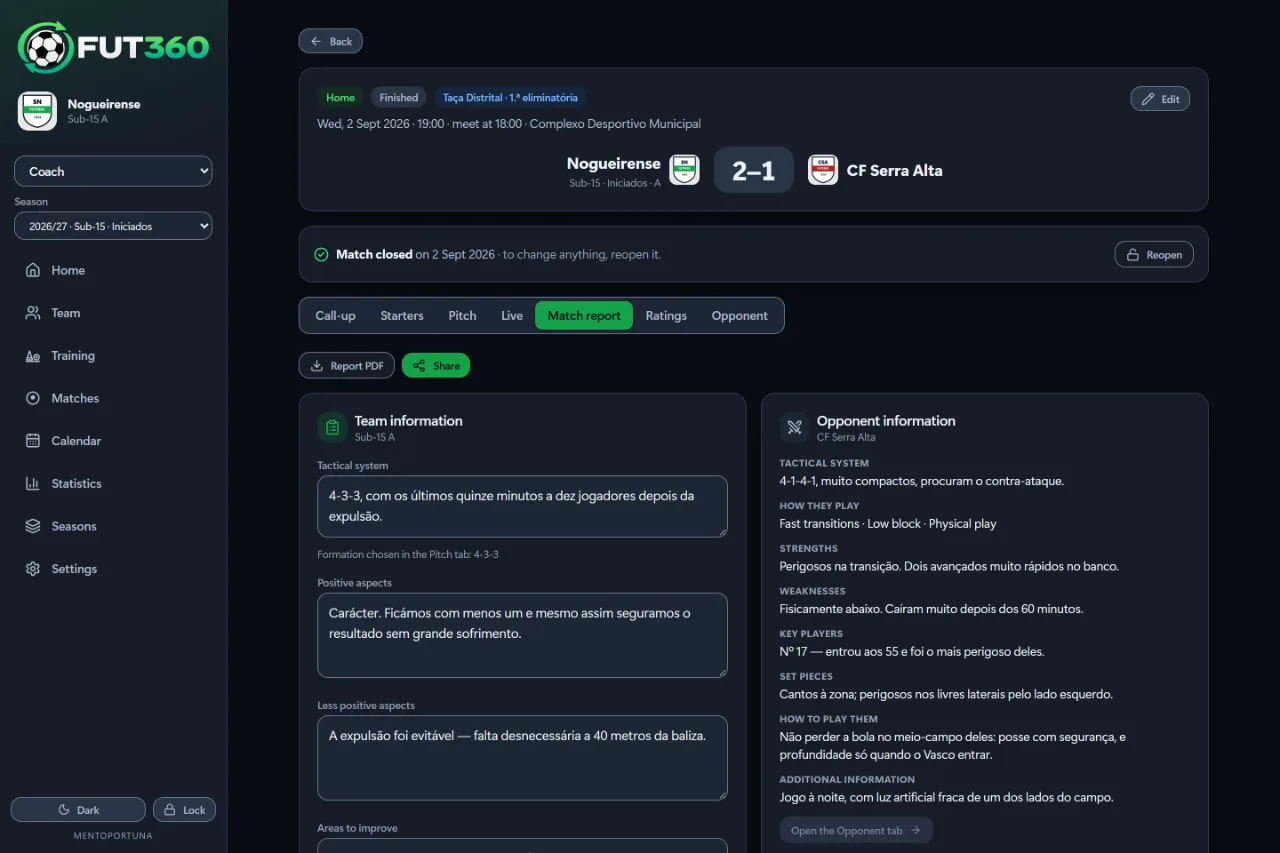
The PDFs you print or send: the match report, the player report and the career report for other coaches. Each one comes out in the language of whoever creates it, and you can share it straight to WhatsApp.

  • The match report, with the full match sheet and the timeline
  • The player report, with a photo, the season’s numbers and a match-by-match breakdown
  • The career report, with every season, the assessments and the shared comments
  • The player dashboard inside the report: progress, training, physio figures and mesocycles
  • Sent straight to WhatsApp with the PDF attached

Included inClubCoachCoach Pro

A match report with your analysis and notes on the opposition, ready for PDF.

For the club

Club management

The coordinator

The coordinator runs the club. They create the teams, add the coaches, staff, physio and families, and send everyone an invitation by email. One person can hold several roles.

  • The season’s teams, each with its own settings
  • The staff with their roles, and the players with their guardians
  • Email invitations in the sender’s language, which you can resend or copy
  • Several roles for the same person, each with its own end date
  • The plan, the subscription status and how much of each limit you’ve used

Included inClub

Pitches and dressing rooms Optional

The coordinator and the coaches

A calendar for pitches, dressing rooms and treatment rooms. The coordinator makes bookings, and coaches send requests for the coordinator to approve. You can book the whole pitch or just the parts you need.

  • Each pitch can be split into up to four parts
  • A free dressing room for each team before and after every booking, and for home matches, one for the visitors and one for the referees
  • Coaches see full details for their own teams, and only the booked times for the others
  • The club’s training equipment, requested with quantities for each session
  • The physio’s diary, so coaches can see when there’s a free slot

Included inClub

Chats Optional

The staff, the physio and the families

Real-time channels for each team, so the staff can talk among themselves, with the physio and with the families. If someone gets injured during a match, it’s flagged here.

  • A staff channel and a team-and-physio channel, set up with every team
  • A families channel for each team
  • An injury substitution in the Live tab sends an alert to the physio
  • Switched on by default in a coach’s workspace

Included inClubCoachCoach Pro

Player portal Optional

The player, from age 13, and their guardians

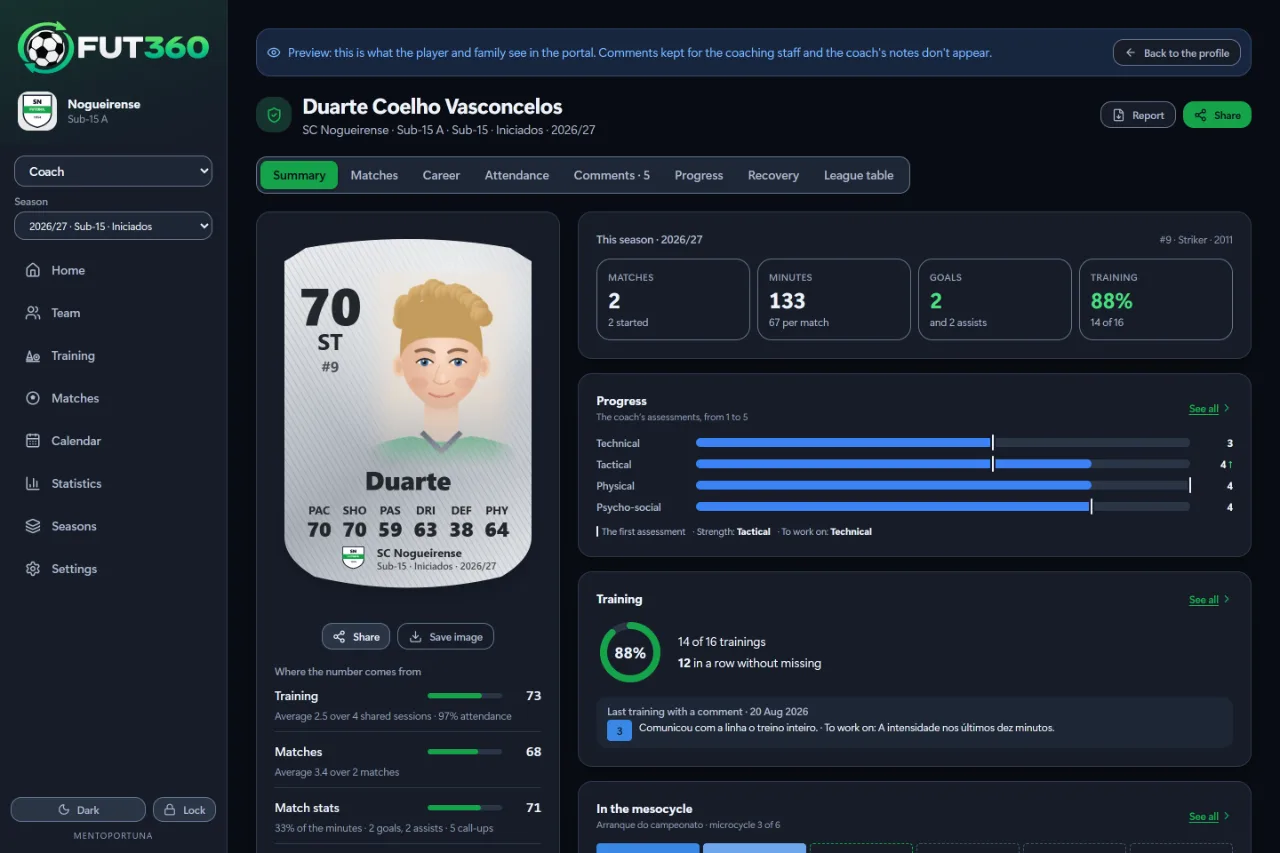
A bit like career mode in a football game: seasons at the club and at other clubs, how the player card has improved, and comments from the coaches. Week to week there’s the calendar, the rating for each session and, after an injury, the recovery plan. Families can only see their own player.

  • Overview, career, progress and comments from the coaches
  • The month’s training and matches, and a calendar you can export to your phone
  • Attendance with the coach’s rating, what went well and what to work on, if the coach shares it
  • Recovery: the approved plan and today’s session and exercises, with animations
  • A PDF career report to show another coach
  • The family code: the club or coach hands it out and families link to the player without anyone’s help
  • Live match updates in the iPhone and Android apps, and a card for Instagram after every match
  • Staff notes and clinical notes are never shown

Included inClubCoachCoach Pro

The portal overview: player card, season numbers, progress in the four areas, training and the mesocycle.

Physio

The club’s physio and doctor

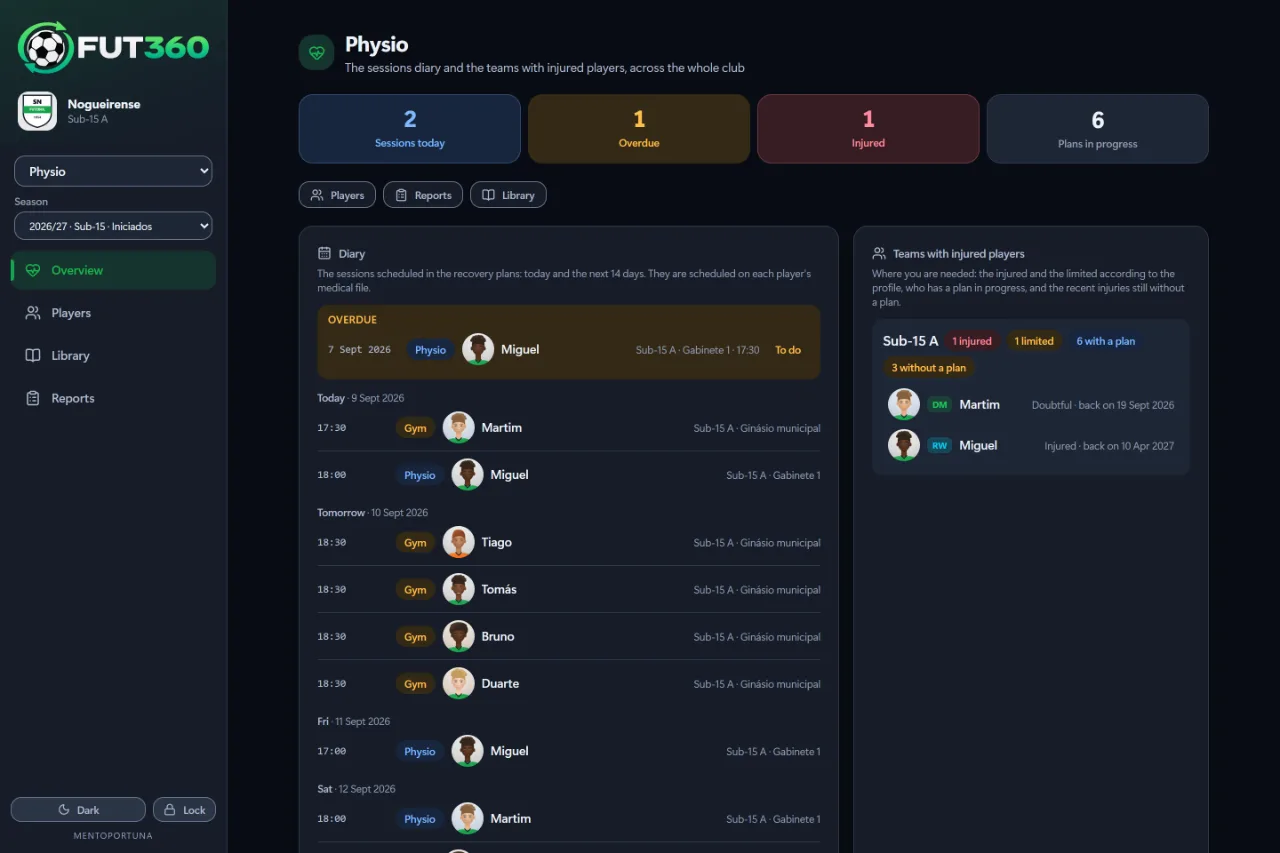
Anyone with the physio or doctor role sees every team at the club. The dashboard opens on today: booked sessions, teams with injured players and recent injuries, each described by whoever saw it happen.

  • A medical file with availability, recovery progress, adherence, pain, and the season’s training and matches
  • Recovery plans from 27 templates, from an ankle sprain to an ACL rupture, plus injury-prevention programmes
  • 61 recovery exercises animated at the prescribed tempo, plus a video link if the physio films one
  • The physio proposes a plan and the coach approves it before it reaches the player
  • Injured players are flagged in training and left out of call-ups until they’re cleared
  • Training reports, including each coach’s note for the physio

Included inClub

The physio dashboard with appointments and teams that have injured players.

Match recordings Optional

The staff, the players and the families

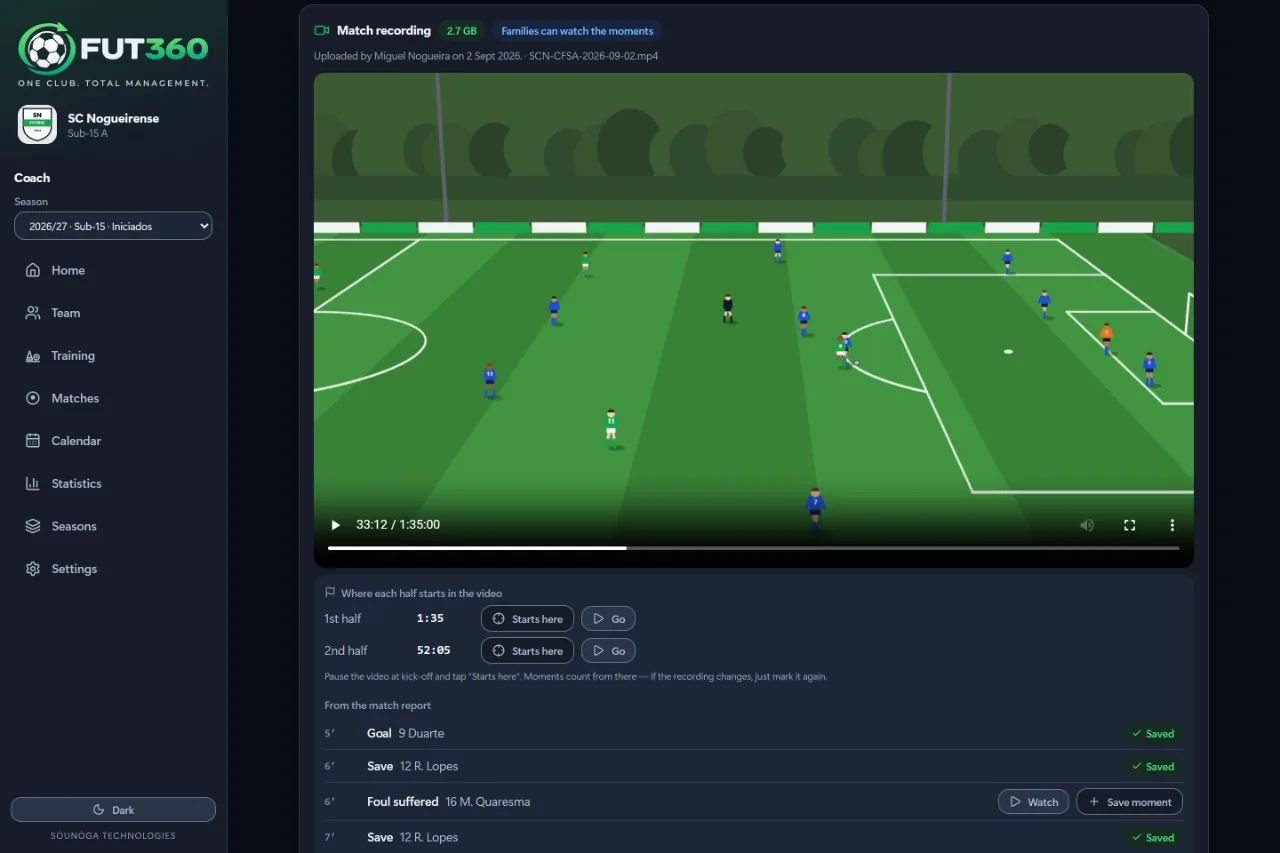
The full match video is stored privately, inside the match. Goals, shots and saves from the match report become moments, and each player gets their own list. Any camera will do, although for now Fut360 doesn’t provide the camera.

  • Upload from a phone or computer. If the connection drops, it continues from where it stopped
  • Or paste the download link from the camera’s system
  • Moments come from the match report once you mark the kick-off of each half
  • With the families’ consent, the whole match or just the moments can appear in the portal
  • Turn a moment into a social media video in the club’s frame
  • 200 GB on Club, 20 GB on Coach and 50 GB on Coach Pro, with extra space packs if you need them

Included inClubCoachCoach Pro

A recorded match paused on an attack, with the match report events below.

Want to see the modules with a real team?

Book a demo, or compare the plans to see what each one includes.